
How to Make a Multilingual Menu (Auto-Translate)
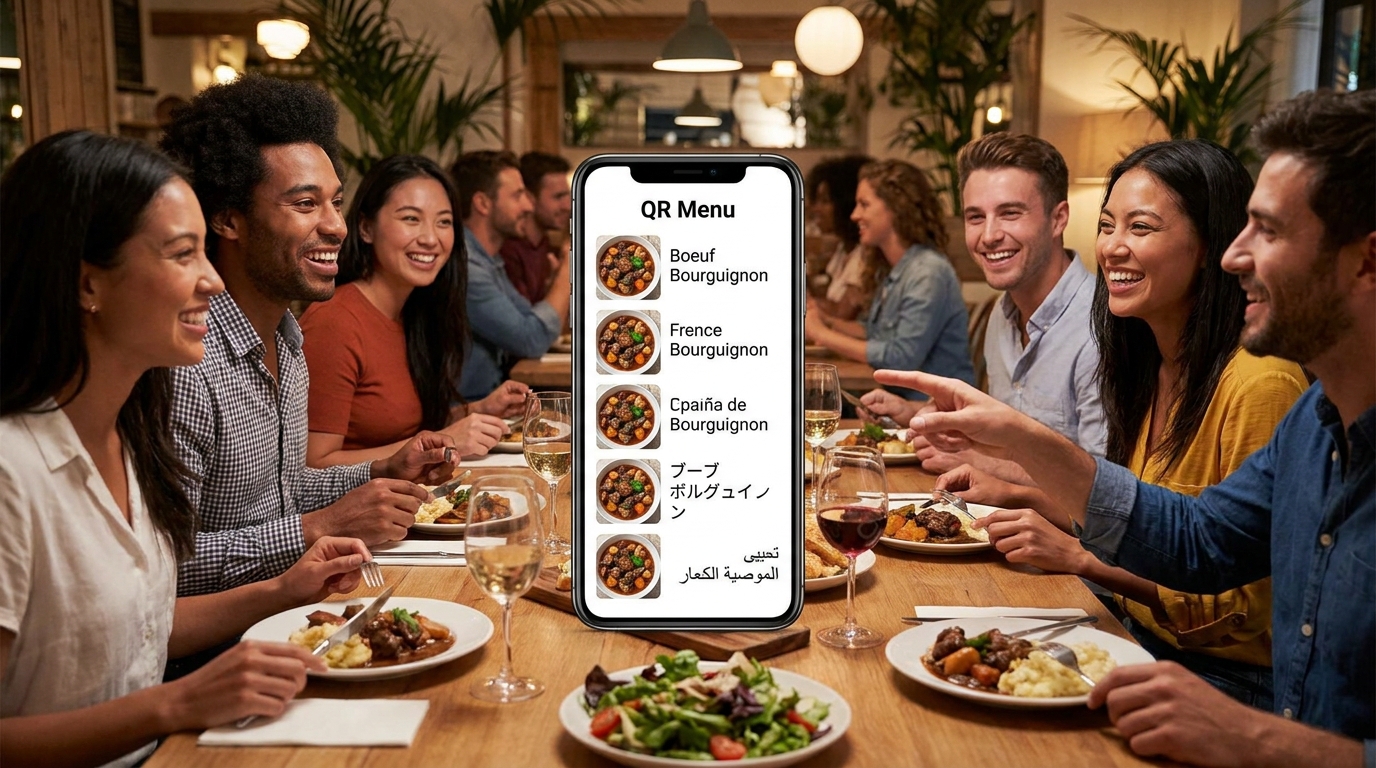
A tourist who can't read your menu orders the one word they recognize. Offering your menu in their language is a short job — but only if you offer a language once it's actually finished, and know which ones are worth finishing.
TL;DR — Key Takeaways
Pick languages by who walks in, not by what's on offer. Two finished languages beat six half-finished ones.
One run translates the whole menu— descriptions, section names, choices and extras, and the allergen and diet names guests filter by.
A language is offered only once at least half your orderable dishes have a translated name. Half a translated menu is worse than none — the guest already committed to it.
Fix wording by hand instead of re-running. The grid is free, uses no allowance, and each save marks that text as checked by a person.
Some dish names shouldn't be translated at all. Cacio e Pepe is the dish; put the work into the description underneath.
What an unreadable menu costs you on a Saturday
Watch four visitors get handed a card they can't read. One of two things happens, and both cost you.
They order the one item they recognize — the burger, the margherita, the thing spelled the same in every language. Your €26 fish stays in the walk-in, and the table that could have been your best of the night turns into your cheapest.
Or your server recites the card. Twelve dishes, translated on the fly, three times a night while other tables wait, and the descriptions get flatter every time.
A digital menu fixes this cheaply, because the text already sits in fields. If you haven't built the menu yet, start with how to digitize your restaurant menu and come back once the dishes exist.
Choosing which languages to offer
The instinct is to switch on everything. Resist it — every language you turn on is one you keep current each time you change a dish.
Start with who actually sits down, not who visits your city. A trattoria two streets from a cruise terminal has a different list than a neighborhood bistro whose foreign guests all live there. Three sources beat any tourism statistic:
Your reservation book. Names and phone country codes are blunt, but they're yours.
Your front-of-house team. Ask which language they end up speaking most. They know.
Your menu insights. Every menu view records the language it was read in, and on Pro and Multi the "Languages guests read in" screen shows views per language and each one's share.
That last one ends the guessing. Turn on two, run them a month, and let the numbers decide about a third.
Which languages, actually
Five questions settle this faster than any list of the world's most-spoken languages.
Who was in the room last month? Not who visits your city — who sat down. Read the country codes on a month of reservations, then ask your card terminal or payment provider for the country mix on your transactions. That's a census of people who paid you.
Which languages does your floor already cover? Those are the ones you need least. Two servers with fluent Spanish make a Spanish menu a convenience; a Japanese menu does work nobody on your payroll can. Rank by the gap.
Who are your neighbors? A border town serves a predictable second language that barely moves with the season. Aachen plans for Dutch and French the way Trieste plans for Slovenian. That isn't tourism — that's every Saturday.
What's within walking distance? A hotel two blocks over, a cruise terminal, a conference center, a university with a big exchange intake. Each has a guest mix you can go and ask about.
Can you finish it? One language done completely beats four done halfway — not as a motto, as the threshold. A language stuck at 40% of dishes is shown to nobody.
Once two are live, stop guessing. On Pro and Multi, "Languages guests read in" gives you views per language and each one's share — evidence about whether a third is worth the upkeep.
Turning a language on, and what one run covers
Menu languages live in your restaurant profile under Localization, next to your main language; the setup wizard has a screen for the same thing. Adding one doesn't put it in front of guests straight away — it gives the translation run something to work against.
From the Languages screen, one button translates everything not yet translated or changed since last time. It names the job first — "Translate 12 dishes into Deutsch and Français" — so you know what you're spending a run on.
A run covers more than dish names:
Dish names and descriptions, the bulk of the work.
Section names, so "Vorspeisen" doesn't sit above a list of translated starters.
Choice groups and their options— sizes, sides and extras. Picking a topping in your own language is the detail most platforms skip.
Your restaurant description, the one in the Details panel.
The names of the allergens and diets your menu uses. This matters most and gets noticed least: a guest filtering for milk or gluten reads those words in their language, not yours. If nothing is tagged yet, allergen labeling on a digital menu is where to start — the filter is only as good as the tags behind it.
The run happens in the background with a progress bar, so you keep working. Your Today dashboard shows translation progress too — the fastest way to spot that last week's new dishes never got translated.
Under More actions sit narrower jobs: translate only what's new, or only what's changed.
The lines nobody proofreads
Owners review dish names for an hour and never look at the two pieces of text a guest reads first and last.
Section names."Starters", "From the grill", "For the table" — a guest reads one of these before a single dish, and it frames everything underneath. They're also where machine translation goes literal, because four words with no sentence around them give it nothing to work with: "From the grill" comes back as a phrase about the appliance, "For the table" as furniture. Read all six, in every language, the first time you translate.
Your restaurant description. The one in the Details panel, up to 280 characters — the only place on the menu where you say who you are rather than what you cook, and the most likely to come back flatter than you wrote it. Hand this line to a native speaker first.
The 50% rule, and why it exists
Here's the rule that separates a menu a tourist can use from one that wastes their time: a language is offered to guests only once at least half the orderable dishes have a translated name. Your main language is always offered.
It sounds restrictive until you've watched the alternative. A guest taps the flag for Japanese, relaxes, starts scrolling — and by the third section they're back in a language they can't read. They've already committed, and now they have to work out whether the untranslated part is a bug, a different menu, or dishes they shouldn't order. That's worse than never being offered Japanese, because at least then they'd have asked a server.
The threshold also stops the decay that kills most multilingual menus: you add a dozen winter dishes, skip the run, and your French menu quietly rots from finished to patchy.
Reading the Languages screen
The Languages screen answers one question: is every language I offer actually finished?
Needs your attention— dishes missing in at least one language, or changed since they were translated. On a healthy menu it's empty.
One row per language, counting what's not translated, what's changed since translating, and what was written by AI and not yet checked by a person. A clean row reads like "All 48 dishes read correctly".
Translation runs, with the stage each is at and its progress.
Those are three different problems. Not translated is a run away. Changed since translating means you edited the original and the translation is stale — also a run away. Written by AI but unchecked needs a human, and I'd bring that one to zero on your busiest language before adding a fourth.
Editing the wording by hand
Machine translation gets a menu most of the way, then makes the mistakes you'd expect: the regional ingredient, the house joke, the name your grandmother used.
"Edit the wording by hand"opens a grid — your wording on the left, one editable column per menu language. Every cell carries its status: Not translated, Changed since translating, or Written by AI. Save one row, or every changed cell at once.
Two things make this the first tool to reach for. Saving a cell marks it as checked by a person, so it leaves the unchecked count. And editing by hand is free — no run, no allowance, so even on Free's two runs a month you can correct as much as you like.
When a translation is wrong, fix the cell. Don't re-run hoping for a better answer.
Right-to-left, and your own language
If you serve Arabic-speaking guests, the layout flips. Right-to-left languages lay out right to left, while prices and numbers keep their natural direction— €12.50 still reads as €12.50. The live demo menu runs in five languages including Arabic, so you can see it working.
When you switch Arabic on, sanity-check three things:
Prices and numbers. A price inside a right-to-left line should still read left to right. Check a dish with sizes and extras, where the price sits beside an option name rather than alone.
The switcher. Each language should name itself in its own words — العربية, Deutsch, Türkçe — because a guest looking for Arabic is scanning for Arabic script, not the English word "Arabic".
A phone, not your desktop. Right-to-left text in a narrow column behaves in ways a wide screen hides — where lines wrap, where a badge lands, whether the search bar and section buttons still read in a sensible order.
Separately, and this trips people up: the language you work in is not the language your guests read in. Your workspace is available in several languages — English, German, French, Italian, Spanish, Arabic, Turkish and Greek among them — independent of your menu languages. Run the back office in Turkish while your menu is offered in English, German and Arabic.
What not to translate
Some dish names are the dish. Translating them destroys information instead of adding it.
Cacio e Pepe. A guest who knows it wants those three words. One who doesn't isn't helped by "cheese and pepper pasta" — they're helped by a description reading spaghetti, Pecorino Romano, cracked black pepper, nothing else.
Wiener Schnitzel. Specific, and known by name across Europe. "Viennese cutlet" is a downgrade.
Pho Bo. The name travels; the description explains. Beef broth simmered overnight, rice noodles, herbs on the side.
The rule: if a guest could plausibly search the name, keep the name. If it's purely descriptive in your language — "Hausgemachte Kartoffelsuppe", "Pollo al ajillo" — translate it freely.
So run the translation, then put the original name back in the grid where the name is the dish. Guest search covers descriptions too, so someone typing "pasta" still finds the Cacio e Pepe.
Translate, keep, or keep and explain
Here's the longer version of that rule, as three buckets. Sort your menu into them once and you stop making the call dish by dish.
1. Keep the name, add an explanation. The name is the dish — Cacio e Pepe, Wiener Schnitzel, Pho Bo, Bibimbap, Moussaka, Coq au Vin, Ceviche, Paella, Ramen, Pierogi, Baklava, Tiramisù. Keep it identical in every language and let the description explain: "Coq au Vin — chicken braised slowly in red wine with smoked bacon, mushrooms and pearl onions."
2. Translate it outright. Descriptive names carrying no cultural weight: "Grilled sea bass with fennel", "Soup of the day", "Mixed leaf salad", "Chocolate cake", "Hausgemachte Kartoffelsuppe", "Pollo al ajillo". These are most of your menu; let the run handle them.
3. The careful cases. Words that exist in both languages and mean different things on a plate:
Entrée. A starter across most of Europe, the main course in the United States. "Starters" or "To begin" removes the ambiguity.
Chips. Fries to a British guest, crisps from a bag to an American one. "Fries" or "hand-cut potatoes" is worth the extra word.
Biscuit. A sweet cookie in Britain, a soft savory roll in the American South.
Bacon. Streaky, back, Speck, pancetta and lardons aren't interchangeable, and the single word claims they are. Name the cut and the cure.
Cuts of meat. German Tafelspitz, French onglet and bavette, American flank and skirt. Butchery traditions divide the animal along different lines, so there's often no equivalent word. Keep the original and describe it: "Onglet — the butcher's cut, best served rare."
The rule underneath bucket three: if the same word means two different plates in two markets, add the words that remove the doubt.
What machine translation reliably gets wrong in food
General-purpose translation is trained on general-purpose language, and food is a dialect. It makes the same six mistakes on nearly every menu.
Cuts of meat and butchery terms. The vocabulary doesn't map because the butchery doesn't — and the output is confident anyway. Keep the local term, describe the cut.
Cooking methods. Confit, cured, cold-smoked, seared, braised. Menus in the target language often keep the French or Italian word — English menus say "confit" — but a translation may unpack it into a literal phrase about fat or heat. Check any dish whose appeal is the method.
Regional dish names turned into a different dish. The most damaging one, because the result is fluent: the name gets mapped onto its nearest famous relative, and the guest gets a plate they didn't order. Anything named after a town or a region belongs in bucket one.
Ingredient words with a common homonym. German Scholle is plaice on a menu and an ice floe everywhere else. Seezunge is sole, literally "sea tongue". English "sweetbreads" are neither sweet nor bread and translate accordingly. Spot-check every fish, mushroom and piece of offal.
Portion and format words. Plate, board, platter, sharing, tasting, "for two", "half portion". These set a price expectation, and "board" reliably comes back as a plank of wood. Say what arrives instead.
Allergen and diet wording. The one category where a wrong word is a safety problem, not a style problem, because guests filter on it. A run translates the names of the allergens and diets your menu uses — but anything you wrote yourself, like "may contain traces of nuts", needs your own check.
Every one of these has the same fix, and it isn't another run. Open the hand-editing grid, find the cell, type the right words, save. No allowance spent, and the save marks that text as checked by a person.
A quality-control routine that takes one sitting
Do this once, properly, and the menu looks after itself.
Translate everything. One run, every language you've turned on, so you're reviewing a finished draft and not a moving target.
Pick your highest-traffic language— the one your insights name, or your best guess.
Read it end to end on a phone, the way a guest does, not in the grid. Scroll everything, dish sheets and choice groups included.
Fix what's wrong by hand, cell by cell. Each save costs no allowance.
Check the counter. When the row says every dish reads correctly, that language is done.
Then start the next one. One finished language beats three started ones.
Maintenance afterward is small: "only what's new" when you add dishes, "only what's changed" when you rewrite one, and a weekly glance at the Today dashboard.
How to review a language you don't speak
You can't proofread Japanese. You can still run a review that catches nearly everything.
Find one native speaker. A regular, a member of staff, a supplier, the front desk at the hotel down the street. Fifteen minutes is plenty. Feed them.
Give them your twenty best sellers, not the whole menu. A mistake on a dish you sell forty times a week costs forty times what it costs on the dish nobody orders — and a reader who starts at the top runs out of attention in section three.
Ask about the allergen and diet words first. Guests filter on these, so a wrong word here is the only translation error on your menu that can hurt somebody. Ask plainly: would you trust this filter if you were allergic?
Have them read it on a phone. A narrow column changes where lines break, and a long German compound can push a price onto its own row.
Type the corrections into the grid while they're still sitting there. Every save is free, so the review and the fix are one job instead of two.
What each plan allows
Two limits matter here: menu languages, and translation runs.
Free (€0)— 2 menu languages including your main one, 2 translation runs a month covering up to 2,000 translated menu texts.
Básico (€14/month)— 5 menu languages, unlimited runs.
Pro (€29/month)— unlimited languages and runs, plus the per-language insights.
Multi (€59/month)— the same across up to 3 locations, each with its own menu languages.
Prices are as of September 2026 and exclude VAT; the pricing page has the current ones. A plan limit is a ceiling on what you can add, never a switch that removes something — a language you already offer keeps working.
Every language is also its own page
A well-translated menu isn't only for the guest at the table. When it's translated into two or more languages, each version is announced to search engines as its own page — so someone searching in German before they travel can land on the German one.
The public directory runs on the same threshold: its menu language buttons narrow the list to restaurants whose menu can actually be read in that language. Finishing a language puts you in front of a filter you were invisible to — more in get your restaurant menu found online.
Common multilingual menu mistakes
Turning on six languages and finishing none. The threshold hides most of them anyway.
Adding dishes and forgetting the run. That's what "only what's new" and the Today dashboard line are for.
Never reading your own translated menu. Ten minutes on a phone catches what no counter will.
Translate your menu free with Intermenu
Intermenu translates your whole menu in one run — names, descriptions, sections, choices and extras, and the allergen and diet names guests filter by — then holds a language back until it's readable, so nobody lands in a half-finished menu. Correct any wording by hand at no cost.
Two languages are free, with no card and no time limit.
Build your multilingual menu free with Intermenu →
Frequently Asked Questions
How many languages can my restaurant menu have?
Two on Free including your main language, five on Básico, unlimited on Pro and Multi. The real limit is how many you're willing to keep current.
Why isn't the language I added showing on my menu?
It hasn't reached the threshold. A language is offered to guests only once at least half the orderable dishes have a translated name. Run the translation, then check its row on the Languages screen.
What exactly gets translated in one run?
Dish names and descriptions, section names, choice groups and their options, your restaurant description, and the names of the allergens and diets your menu uses — everything not yet translated or changed since last time.
Does fixing a translation by hand use up my monthly runs?
No. The hand-editing grid is free on every plan and uses no allowance, and saving a cell marks that text as checked by a person.
Should I translate dish names like Cacio e Pepe or Wiener Schnitzel?
Usually not. If a guest could plausibly search the name, keep it and let the description explain in their language. Translate names that are purely descriptive.
Can my menu be read right to left?
Yes. Arabic and other right-to-left languages lay the menu out right to left, while prices and numbers keep their natural direction.
Do my section names get translated too?
Yes, a run covers them — and a section name is the first thing a guest reads. "From the grill" and "For the table" are the short phrases machine translation takes literally, so read yours in the grid before anything else.
How do I check a language nobody on my team speaks?
Ask one native speaker — a regular, a supplier, the hotel down the street — to read your twenty best sellers on a phone, starting with the allergen and diet words. Type their corrections into the grid while they're with you; it costs nothing.