
How to Add Allergens & Dietary Tags to a Menu
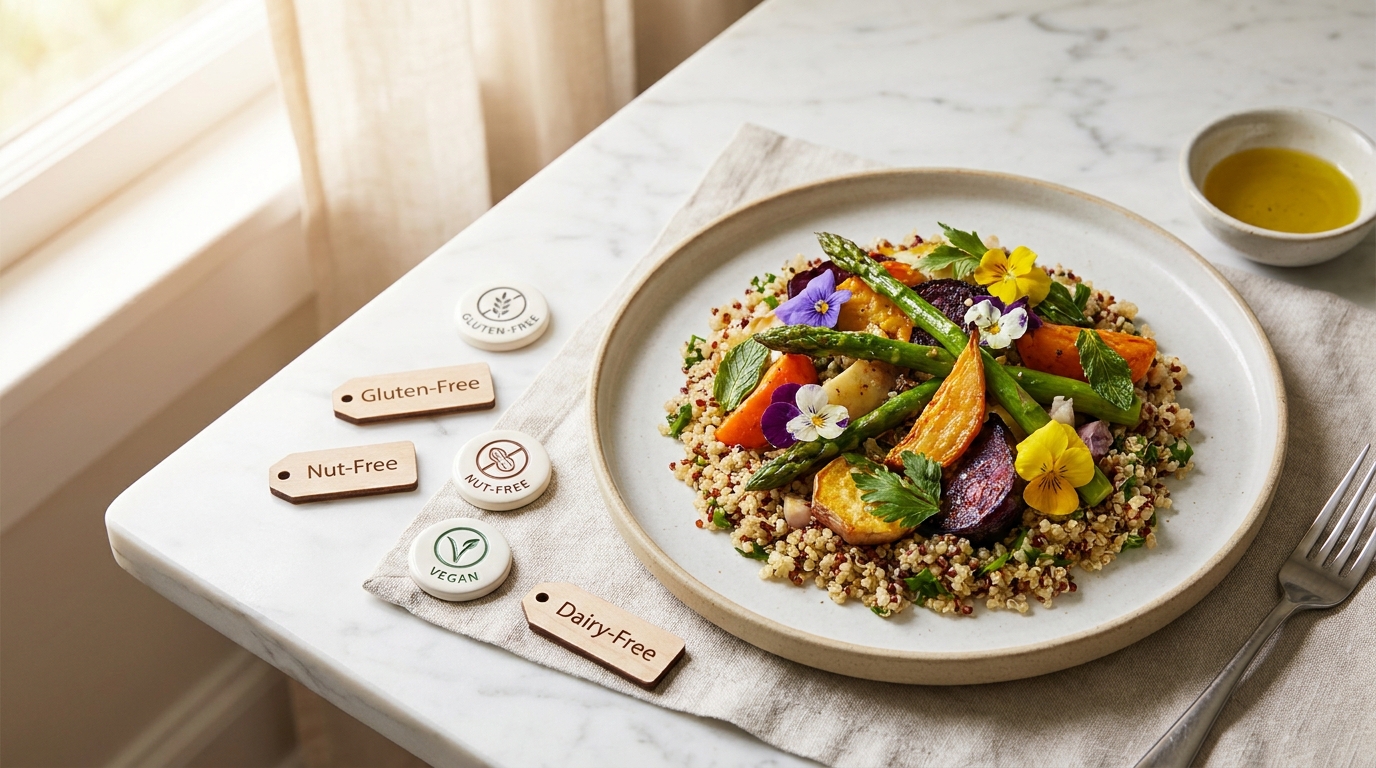
The 14 allergens are the easy part — you can learn them in ten minutes. The hard part is what your menu does with a dish nobody has tagged yet, because a filter that quietly lets it through has told a guest something nobody in your kitchen would say out loud.
TL;DR — Key Takeaways
EU law names 14 allergens. Regulation 1169/2011 — the LMIV in Germany — requires information on all 14. The US mandates nine, sesame added in 2023.
The law asks for the information to be available, not printed. A digital menu does that better than a laminated card: it stays current, and the guest can query it themselves.
Untagged must never mean safe. A dish with no allergen data goes into a clearly marked "Allergen info not provided" group instead of passing the filter, and every row says either "Contains …" or "Allergens not specified".
Extras carry their own allergens. Extra cheese adds milk, and the guest should see that before ordering it.
A filter is not a guarantee, and this is not legal advice. The data comes from you, traces are possible, and guests with an allergy should still speak to staff.
What the regulation actually asks of you
Regulation (EU) No 1169/2011 covers food information given to consumers, and its Annex II is the list of 14 substances that have to be declared. In Germany the same rules are known as the LMIV, with national requirements on top for unpackaged food — which is what a restaurant serves. The United States names nine major food allergens instead, sesame having become the ninth in 2023. Serve in both regions and you're labeling against two different lists.
I'm a founder, not a lawyer, and nothing here is legal advice — check your obligations with someone qualified in your country. What I can give you is the operational shape of it.
For unpackaged food, the information has to be available to the guest before they order. It does not have to be printed on the card. A folder behind the bar, a written record, a page on your site — what matters is that it exists in writing, it's accurate, and the guest can get at it without a negotiation. That's the gap most restaurants live in: the matrix exists, laminated, printed the last time the menu changed. Technically compliant, practically useless.
If the rest of your menu isn't online yet, start with how to digitize your restaurant menu— tagging is far easier once dishes are records rather than lines of text.
The 14 EU allergens — and where each one hides
Everyone tags the shrimp. What catches kitchens out is the third ingredient in a sauce nobody thinks of as a carrier. Work this list against your own prep sheets.
Cereals containing gluten— wheat, rye, barley, oats, spelt, kamut. Hides in soy sauce (most contain wheat), beer and malt vinegar, roux-thickened sauces, fries dusted for crispness.
Crustaceans— shrimp, prawns, crab, lobster. Hides in Thai and Malaysian curry pastes made with shrimp paste, XO sauce, bisque and shellfish stock, surimi.
Eggs— hides in mayonnaise and every aioli built on it, fresh pasta, hollandaise, Caesar dressing, egg wash on buns, lecithin as an emulsifier.
Fish— hides in Worcestershire sauce and anything finished with it, Caesar dressing, fish sauce in Southeast Asian cooking, anchovy in puttanesca and tapenade.
Peanuts— hides in satay, mole, West African groundnut stews, some pesto recipes, and peanut oil in a shared fryer.
Soybeans— hides in soy sauce, tofu and tempeh, miso, edamame, lecithin in chocolate, teriyaki marinades, most vegetarian patties.
Milk— hides in butter finishing a sauce, ghee, creamy dressings, whey in bread and brioche, casein in some "non-dairy" creamers, commercial stock.
Nuts— almonds, hazelnuts, walnuts, cashews, pecans, Brazil nuts, pistachios, macadamias. Hides in cashew or walnut pesto, praline, baklava and marzipan, dukkah, romesco.
Celery— including celeriac, leaves and seeds. Hides in nearly every stock and bouillon cube, mirepoix bases, celery salt, curry and barbecue spice blends, remoulade.
Mustard— hides in vinaigrettes (the spoonful of Dijon is what emulsifies them), mayonnaise, barbecue and ketchup blends, curry powder, piccalilli, many sausages.
Sesame— hides in hummus and anything built on tahini, burger buns and bagels, za'atar, halva, and the toasted sesame oil that finishes a stir-fry in drops too small to see.
Sulphur dioxide and sulphites— declarable above 10 mg/kg or 10 mg/l. Hides in wine, dried apricots and other dried fruit, vinegars, pre-cut and frozen potato products, pickles.
Lupin— hides in lupin flour used in gluten-free baking and some continental European breads and pasta. Rare, easy to forget, and the reason the list runs to 14 rather than 13.
Molluscs— mussels, clams, oysters, scallops, squid, octopus, snails. Hides in oyster sauce, laksa and some curry pastes, seafood stocks, paella mixes.
Two rules of thumb catch most of what a tagging session misses. Anything you buy in already made is somebody else's ingredient list— the stock, the mayonnaise, the buns. And the allergen is in the process as often as the recipe— a shared fryer, a shared grill, a shared toaster.
How to actually run an allergen audit
An audit that starts from the menu card starts in the wrong place. A dish name is not a recipe — "tomato soup" says nothing about the chicken stock, "house fries" says nothing about what else goes through that oil. Work from recipes and prep sheets, or you're tagging your own assumptions.
Go ingredient by ingredient with whoever actually cooks it. Not the manager who wrote the menu — the person who makes the dressing and knows about the spoon of Dijon in it. An hour at the pass beats a week of guessing at a desk.
Check the supplier spec sheet instead of trusting memory. A supplier can change a formulation without telling you: a bun that gains a sesame dusting, a "vegetable" stock that gains milk powder. The spec sheet is the only version that's current.
Treat every compound ingredient as a list, not an item. A sauce is not an ingredient; it's a recipe wearing one word. Same for bouillon and stock, curry paste, spice blends, marinades, bread, pastry, and anything bought pre-made.
Three things catch most kitchens. The shared fryer, where the oil is an ingredient nobody writes down — breaded fish and fries out of one basket means the fries have been fish all along. The sauce base, where one mother sauce runs under half a section, so a missed allergen isn't one wrong tag but eight. And the garnish nobody logs: croutons on the soup, crushed pistachio on the dessert, three drops of sesame oil, the bread that arrives alongside.
Write it down once, in one place, and make that place the menu — the audit only counts if the next person on shift gives the same answer you would. Then re-check on three triggers: a recipe changes, a supplier changes, or a special goes on.
Why a digital menu satisfies "available" better than a card
A laminated matrix goes out of date the moment a supplier changes a product. A digital menu is one record per dish you correct in seconds, and the correction shows on the next guest's load. It also inverts the work: instead of scanning fourteen columns while a server waits, the guest taps the two allergens they care about — without anyone at the table having to announce a medical condition to get dinner.
The information travels, too. A translation run covers dish names and descriptions, section names, choice groups and their options — and the names of the allergens and diets your menu uses— so a Dutch guest reading a German menu sees them in Dutch. More on that in a multilingual menu your tourist guests can read.
One warning: if your printed card already carries an allergen matrix, don't expect it to survive an import. A grid of symbols is not something to trust to a machine when a misread puts a guest in an ambulance. Turning a PDF or photo menu into a digital one gets you the dishes, prices and sections; the allergen layer goes on by hand.
The rule that makes a filter trustworthy
The moment you put a filter on a menu, every dish that survives it is making a claim. A guest hides nuts, sees eleven dishes, and reasonably concludes those eleven don't contain nuts. If three of them were never tagged, your menu has made a promise nobody in your building authorized.
That's not a hypothetical — it's the default behavior of a naive filter. "Show everything not tagged with the excluded allergen" is the obvious implementation, and it treats unknown as absent.
The fail-safe rule is the opposite. A dish with no allergen information is never shown as safe. In Intermenu, when a guest hides one or more allergens, tagged dishes disappear as you'd expect — and dishes nobody has tagged move into a separate, clearly marked"Allergen info not provided"group with a note to check with staff. They stay visible, because hiding them would be its own kind of lie, but they're never mixed in with the dishes you've vouched for.
The same principle runs at row level: every dish carries either a"Contains …"line or the words"Allergens not specified". There's no third state where a dish says nothing and the guest fills the silence with an assumption.
The cost is that an untagged menu looks bad — filter it and almost everything lands in the "not provided" group. That's the correct incentive.
Extras and choices carry their own allergens
A dish is rarely just the dish. If your burger offers extra cheese, a blue cheese sauce or a brioche bun, each option changes the allergen picture, and the base dish's tags don't cover it.
So options carry their own allergens. On the dish detail sheet, choice groups appear marked Required or Optional with each option's price, and each option's allergens are listed there. Extra cheese adds milk, and the guest sees it before they ask for it. One "Extras" group in your restaurant-wide library, tagged once, stays correct on every dish it's attached to.
That last sentence is why the library is the highest-leverage twenty minutes in the job. A group doesn't live on a dish; it's attached to one — so tagging an option once tags it everywhere, including the dish you add in November.
The options that get missed most:
The milk in a coffee. Cow's milk carries milk, oat milk carries gluten (oats are on the list), soy milk carries soy. Guest search covers option names, so someone typing "oat milk" lands on the coffee that offers it.
A gluten-free bun— and the standard bun it replaces, which carries gluten and often milk and sesame too.
Sesame on a bun. Seeds on top are an ingredient, not a decoration.
Mayonnaise, anywhere. It carries eggs, and versions built on Dijon carry mustard as well.
A burger tagged perfectly is undone by one untagged "add blue cheese" — the guest filtered out milk, the burger survived, and they added the cheese on your recommendation.
Diet filters work the same way
Vegan and vegetarian labels get identical treatment. A diet filter shows only the dishes tagged with that diet. An untagged dish is left out — not included on the assumption that it's probably fine.
Smaller stake: a mislabeled dish is an unhappy guest rather than an emergency. But the logic has to be consistent, or guests stop trusting either filter. Untagged is never a yes.
Worth keeping straight while you tag, though: a diet tag and an allergen tag are different kinds of claim. Vegan is a choice about what someone will eat; an allergy is a medical fact about what happens when they do. They behave identically in the filter, but they fail differently.
"Contains" and "may contain" are two different statements
An allergen tag is a statement about the recipe: this dish contains milk because there's butter in it. You can verify that from a prep sheet, and it's the claim a filter can act on — hide milk, and the dish goes.
Cross-contact is a different statement. It's about the kitchen, not the recipe: the shared fryer, the board the bread was cut on, flour in the air on a baking morning. No filter can express any of it. There's no tag for "contains no nuts, but is plated on a bench where we break up praline."
So the honest position is the narrow one. The tags describe what a dish contains by recipe. They don't describe what happens to it between the walk-in and the plate. That's why the notice on the dish sheet and the conversation with a server carry real weight rather than being formalities — they're where the part the data can't hold gets handled.
There's a tempting shortcut here. Tag everything "contains nuts" and you can never be wrong. It feels like caution; it isn't. A guest with a nut allergy filters your menu, gets two dishes out of forty, and works out in seconds that the tags mean nothing — so they stop filtering and go back to asking. Defensive over-tagging makes the signal worthless for the exact people it was built for.
Tag what's in the recipe. Say plainly that traces are possible in a shared kitchen, and ask guests with an allergy to speak to staff — then make sure staff can answer. And once more: this is not legal advice, and what you must declare varies by country.
The disclaimer on every dish, and why it belongs there
Every dish detail sheet carries an allergen notice: the labels come from the restaurant, they may be incomplete, traces are possible, and guests with an allergy should speak to staff.
Some operators read that as hedging. It's the opposite. The disclaimer names exactly what the tags are — your declaration of intended ingredients, not a lab result on the plate about to arrive. Shared fryers, a cook reaching for the wrong tub: no tagging system sees those.
The wording follows where your restaurant is: a US menu talks about the major US food allergens, everywhere else it's the 14 EU-regulated ones. And when a menu was compiled by Intermenu from a printed card rather than maintained by the restaurant, it says so.
How to tag a whole menu without losing a weekend
Work one section at a time, prep sheets open. Ingredients repeat inside a section — tag three pasta dishes and you've made most of the decisions for the rest. The dishes page lists 25 at a time with their section, price and photo, which is about one sitting's worth.
Tag as you build, not afterward. A new dish is added in three steps — Basics, then Allergens & photo, then Choices & extras. Ten seconds while you're thinking about the recipe beats an audit in six months, and the editor's live preview updates as you tick.
Let the dashboard find your gaps. The Today dashboard's Needs attention list flags dishes with no allergen or diet tags, each row linking straight to the fix — including the dish a colleague added last Thursday.
Do your top sellers and your risky dishes first. One hour buys you the twenty dishes that sell plus anything with nuts, shellfish or sesame. Partial coverage is fine as long as the remainder is handled honestly — which, under the fail-safe rule, it is.
A first pass in ninety minutes
The unit of work is the section, not the dish: dishes in a section share a base, a fryer and a supplier, so a decision made on the first one carries to the rest.
First 20 minutes — where the allergens cluster. Bakery and desserts, sauces and dressings, anything fried. One base decision covers the most dishes here.
Next 40 — the rest of the food, section by section, prep sheets open, biggest first.
Last 30 — the choice groups and the drinks. The library, the extras, the milks. Everyone skips this, and it's where an otherwise tagged menu springs a leak.
Then let the Needs attention list be your to-do list, and tag everything you add from now on at the Allergens & photo step while the recipe is still in your head.
If somebody else compiled your menu
Intermenu compiles menus from printed cards itself, so guests can read a restaurant's menu before the restaurant has joined. When that's what happened, the allergen labels were copied from a printed menu, not provided by the restaurant, and the page says so where the allergen notice normally sits.
It's a starting point typed out of a card, not a record anyone checked against a stock pot. If you've just taken over a page like that, re-check every tag against the kitchen before you treat the filter as yours. Someone listed my restaurant's menu — now what covers taking the page over.
Common allergen labeling mistakes
Tagging only the obvious carriers. The shrimp isn't the risk. The stock cube with celery in it is.
Forgetting the extras. A tagged burger with an untagged cheese option is an untagged burger.
Using a filter that passes untagged dishes. The failure that matters most, and the one guests never find out about.
Letting the tags go stale. A new supplier, a reformulated sauce, a swapped bun — tags are only as current as your last prep-sheet review.
Tag your menu properly with Intermenu
Intermenu gives every dish an allergen line from the 14 EU-regulated list and a diet label, lets guests hide any combination of allergens and pick a diet, and refuses to show an untagged dish as safe. Option-level allergens are listed too, the wording follows your country, and a translation run carries the allergen and diet names into every language you offer.
See it working on the live demo menu, and check the pricing page— the allergen and diet filters are the same on every plan, Free included.
Build your digital menu free with Intermenu →
Frequently Asked Questions
What are the 14 allergens under EU law?
Cereals containing gluten, crustaceans, eggs, fish, peanuts, soybeans, milk, nuts, celery, mustard, sesame, sulphur dioxide and sulphites, lupin, and molluscs — Annex II of Regulation (EU) No 1169/2011, the LMIV in Germany.
Do I have to print the allergens on my menu card?
For unpackaged food the requirement is that the information is available before the guest orders, not that it's printed on the card. Confirm your national rules with someone qualified, though — this isn't legal advice.
How many allergens does US law require?
Nine, with sesame added in 2023. A US restaurant's menu wording follows that list rather than the EU 14.
What happens to a dish I haven't tagged yet?
It's never shown as safe. When a guest filters by allergen, untagged dishes go into a separate "Allergen info not provided" group with a note to check with staff, and the row reads "Allergens not specified".
Does the allergen filter guarantee a dish is safe?
No, and it doesn't claim to. The labels come from the restaurant, they can be incomplete, and traces are always possible in a shared kitchen. Every dish asks guests with an allergy to confirm with staff.
What's the difference between "contains" and "may contain"?
"Contains" is about the recipe — the dish has milk in it because there's butter in it. "May contain" is about the kitchen: shared fryers, shared boards, flour in the air. Allergen tags describe the recipe, not the kitchen, which is why every dish asks guests with an allergy to speak to staff. This isn't legal advice; requirements vary by country.
Should I tag everything "contains nuts" just to be safe?
No. Over-tagging leaves a guest with a nut allergy two dishes out of forty, and they'll see in seconds that the tags aren't real. Tag what's in the recipe, say plainly that traces are possible, and handle the rest in conversation.
Are allergen names translated for guests reading in another language?
Yes. A translation run covers the names of the allergens and diets your menu uses, alongside dish names, descriptions, section names and choice groups.