
Someone Listed My Restaurant's Menu. Now What?
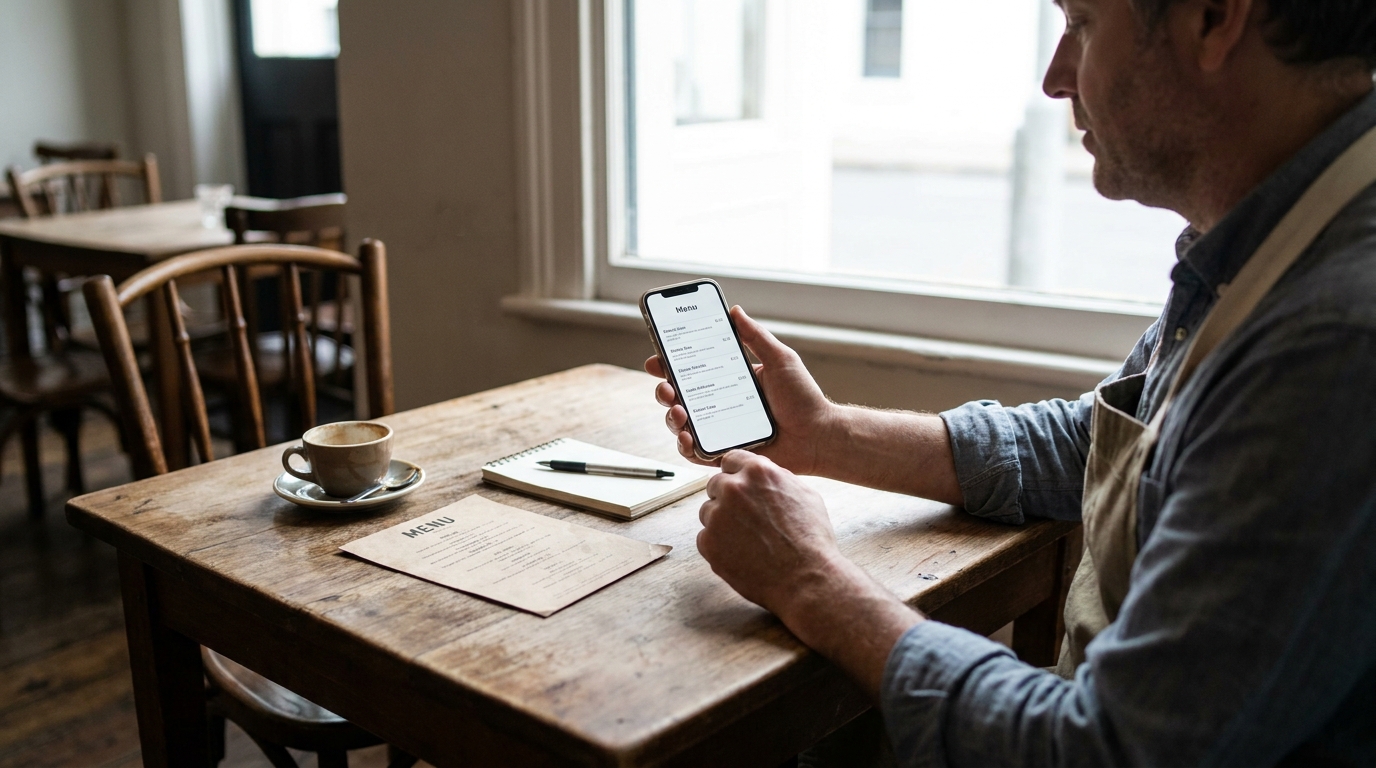
You searched your restaurant's name and found a page with your dishes on it that nobody at your restaurant built. That page is a compiled menu, and you have two real options: take it over, or have it taken down. Both are a few minutes of work, and neither one is the default.
TL;DR — Key Takeaways
Check it's your restaurant first. Similar names, previous operators and closed locations all turn up. The address and the dish names settle it in thirty seconds.
A compiled menu is a printed menu we typed up, and it says so. A badge at the top reads "Compiled by Intermenu — not maintained by the restaurant", and the Details panel names the date it was copied from your printed card.
The allergen wording is different on these pages. It tells guests the labels were copied from a printed menu rather than provided by you — because an allergy question needs to be answered by your kitchen, not by a page you never saw.
Two links sit in the Details panel:"Is this your restaurant?" and "Request removal". Both are read by a person at Intermenu. Neither one does anything automatically.
Removal is a first-class option, not a consolation prize. If you don't want the page, say so. While the request is pending, the restaurant isn't listed in the directory.
If you claim it, you inherit a built menu — and a to-do list. The prices and allergen tags came off a printed card on one specific day. They need checking before you rely on them.
What a compiled menu is, and why it exists
Guests look up a restaurant's menu before they go. When a restaurant has no menu online, or has a PDF that doesn't open properly on a phone, that guest usually ends up somewhere else. So Intermenu digitizes printed menus itself — a menu is typed up from the printed card and put on a page a guest can read.
That page isn't a claim about your business. It doesn't say you're a customer, doesn't say you approved anything, and doesn't pretend to be your official menu. It says at the top that it was compiled and isn't maintained by you.
New to all this? The guide to digitizing a restaurant menu explains what a live menu does. You don't need it to handle the page in front of you right now.
How the page is labeled
This is usually the first thing owners want to see, because the real question behind "someone listed my menu" is what a guest is being told.
The badge at the top. Before any dish, the page carries a badge reading"Compiled by Intermenu — not maintained by the restaurant."It sits above the menu, not in a footer.
The "How this menu was made" note. Open the Details panel and there's a short explanation: the menu was copied from the restaurant's printed menu on a given date, it was not reviewed by the restaurant, and prices may have changed since. The date is named, so a guest can see for themselves how old the information is.
The allergen wording changes. On a menu a restaurant maintains, the allergen notice says the labels come from the restaurant. On a compiled menu it says the labels were copied from the printed menu rather than provided by the restaurant, and asks the guest to check with staff.
That distinction carries real weight. A guest with a nut allergy reads an allergen line differently depending on where it came from — "the restaurant tagged this" and "somebody read this off a printed card" are not the same statement, and a page that blurs them is unsafe. The underlying rule holds on compiled pages too: a dish with no allergen information is never shown as safe. Untagged dishes sit in a clearly marked "Allergen info not provided" group, and every dish row says either "Contains …" or "Allergens not specified".
Is this page actually about your restaurant?
Thirty seconds here saves you from claiming somebody else's dinner service. Near-identical restaurant names turn up in the same country more often than you'd think.
Three things settle it. The address in the Details panel — if the street isn't yours, most mistaken-identity cases end right there. The dish names, because a page can carry your restaurant's name and somebody else's food. And the date in "How this menu was made", which tells you which version of your card you're looking at.
Then match what you found to one of these.
A similar name in another city or district. The address settles it, and neither link is for you. To find whether your own restaurant is listed, search the restaurant directory— it covers names, cities and dishes.
The restaurant changed hands and the menu is the previous operator's. Address matches, dishes don't. You run that address now, so both options are open: claim it and replace the menu, or request removal because you'd rather start from nothing. Decide on whether you want a menu page at all, not on who typed it, and say in the note that the business changed hands and roughly when.
A closed location of a group that still trades elsewhere. Group name matches, address is the site you shut. Removal is usually what you want there — your open locations are separate menus at separate addresses, so it doesn't touch them.
A menu that is yours, but years out of date. Check the compiled date. More than 12 months back and the badge is already warning guests, the page is already asking search engines not to index it, and the restaurant has already left the directory.
A near-identical name belonging to somebody else. If the address isn't yours, don't claim it. A person reads every claim, so a request for a restaurant you don't run goes nowhere and delays the one from the owner who does.
If the address, the dishes and the date line up with your place, the rest of this applies to you.
What happens if you do nothing
Nothing is a legitimate answer, and the page doesn't sit unchanged forever.
After 12 months without a claim, three things happen at once. The badge starts warning that the menu may be out of date. Search engines are asked not to index the page. And the restaurant leaves the public directory.
So an unclaimed compiled menu fades out on its own timeline. If your reaction is "I'll deal with it when I have a minute", that's fine — it just fades slowly, and stays readable in the meantime.
That clock runs from the date the menu was copied, not from the day you found the page. It locks nothing: you can still claim the menu or ask for it to come down at any point. Treat waiting as the third real option, next to claiming and removal.
If you're curious how the listing side works — which restaurants appear in the directory and under what conditions — that's covered in how restaurants get their menus found online.
Option one: claim the page
Claiming means the page stops being a compilation and becomes yours to edit. Here is the whole flow.
Open "Is this your restaurant?"in the Details panel of the menu page.
Give your name and email. Optionally add your role and a short note that helps confirm the restaurant is yours — a detail only someone there would know beats a long explanation.
A person at Intermenu reads it. Nothing is handed over automatically. Filling in the form doesn't give anyone access to anything; it starts a review.
A one-time link arrives by email, valid for 14 days. Use it inside that window, or it stops working and you start again.
Set a password, or connect the Intermenu account you already have. Either way you're signed straight in, with the menu open and ready to edit.
From that moment the compiled labels disappear and the page is the restaurant's own. The allergen notice goes back to the standard wording, because the tags are now actually yours.
One detail that matters if anybody has already printed the page's address or its code: if you're new to Intermenu, the menu keeps the same web address. Any QR code already printed for it keeps working, pointing at the same menu you now control. (If you're connecting a restaurant to an account that already runs more than one location, the address form shifts to an organization-and-location link — codes printed with the shorter address still forward automatically.)
If the compiled menu is far enough from your current card that fixing it dish by dish feels worse than starting over, you don't have to. Re-import your current menu from photos or the PDF your designer sent, and matched dishes update in place instead of duplicating — the whole process is in turning a PDF menu into a digital one.
Option two: ask for it to be taken down
If you don't want the page, you don't need a reason, and you don't need to argue for one.
Open "Request removal"— it sits in the same Details panel, beside the claim link.
A person reviews it. As with claiming, this is read by a human rather than processed automatically.
Sending the request does not take the page down by itself. Worth saying plainly, because the gap between "I submitted it" and "it's gone" is where people assume something failed. The page stays up while the request is handled.
While the request is pending, the restaurant is not listed in the directory. That part takes effect straight away, so the page stops being something guests stumble onto while the request is open.
When the removal is carried out, the address shows "This page has been removed", and search engines are told the page is gone rather than simply left to forget it.
That's the entire path. There's no retention flow, no offer to decline, and nothing to explain.
How the review actually works
Both links land in the same place: a person at Intermenu who reads what you wrote. Submitting either form starts a review, which is a different thing from an action.
I'm not going to quote you a turnaround. A person handles it, so it isn't instant, and any number I put here would be one I made up.
What helps a reviewer say yes. The form asks for your name and email, and optionally your role and a short note — use all four. A role ("owner", "general manager"), an email on the restaurant's own domain rather than a free one, and one concrete detail tying you to the address beat a paragraph of explanation. If your only email is a personal one, say so and give another anchor: the phone number on the door, the company on the lease.
An approved claim produces the one-time link, valid 14 days. If it expires, start again from the "Is this your restaurant?" link.
If your objection to the page is a legal one rather than a practical one, don't work it out from this article. Use the "Request removal" link and put it in writing there.
The menu is wrong and I want it fixed, but I don't want an account
The most common middle position, and it deserves a straight answer. There are two documented paths, and I'm not going to invent a third.
Request removal. No account, no password, no sign-up. If what bothers you is a page carrying prices you didn't set, removing the page removes the prices — a complete answer to the problem.
Or claim it and correct it yourself. Corrections happen in the editor, and the editor needs the handover: a password you set, or an account you already have. Access to fix it means access.
There is no "email us the corrections" route. The note on the claim form helps a reviewer confirm the restaurant is yours. It isn't a correction ticket, and writing your new prices into it won't get them changed.
If the account itself is the sticking point, the free plan has no end date and no card: one location, 40 dishes, two menu languages. And the ceiling, equally plainly — past 40 dishes it won't take additions, though nothing already on the page gets hidden.
The do-nothing clock is running underneath all this too. At 12 months the page warns it may be out of date, asks search engines not to index it, and leaves the directory.
What claiming gives you, and what it doesn't
"Claim" sounds bigger than it is, so here's the honest ledger.
What it gives you:
Control of the page. Every dish, price, description, section and opening hour becomes yours to edit, and changes appear on the guest's next load.
The compiled labels gone. The badge disappears and the allergen notice returns to the standard wording, because the tags are now from the restaurant.
The same web address, if you're new to Intermenu. Anything already printed with it keeps opening the same menu.
A menu that's already built. Sections, dish names, descriptions and prices are typed in — the bulk of the boring work, done.
The 12-month expiry stops applying. A claimed menu stays in the directory on the same terms as any other.
What it doesn't give you:
Verified prices. Read off a printed card on one day, and they may have drifted. Nobody checked them against your till.
Verified allergen tags. Same source, same caveat. An untagged dish doesn't mean a dish with no allergens — it means the card didn't say. Treat them as a draft.
Photos. A printed menu carries no usable images, so a compiled page arrives without them. You add your own, or generate them in the dish editor — AI photos are labeled to guests as a representative image.
Translations. A compiled menu exists in one language. Extra languages are switched on under Localization, and a language is only offered to guests once at least half the dish names are translated into it.
Any promise about search visibility. Each menu page carries structured restaurant data in the format search engines read, and live menus are in Intermenu's sitemap. That's what's on offer. Where you rank isn't something anyone gets to guarantee.
How to decide
Both choices are reasonable. The honest version of the trade-off:
Claiming makes sense if the menu is roughly right and you'd rather own it than fight it. Somebody has already typed your dishes, sections and prices. You inherit a built menu, correct what's drifted, and you're live on a page you control — usually a shorter job than building one from an empty screen.
Removal makes sense if you don't want the page. Full stop. Maybe your menu changes weekly and a snapshot is worse than nothing. Maybe you have a site you're happy with. Maybe you just didn't start it. All sufficient.
Claiming is not a free win. Prices drift, and the ones on that page were printed on a card on one particular day. Allergen tags copied off a printed menu reflect what the card said, not what your kitchen does today. Taking the page over means taking responsibility for both.
Leaving it alone is also a decision. It works out to "gone from the directory and out of search results in under a year", which for some owners is exactly the right amount of effort.
What I'd steer you away from is claiming it, then never touching it. A page nobody maintains with your name on it is the one outcome that's worse than either real option — at least a compiled menu is labeled as unmaintained.
Your first week after claiming
If you do take it over, work in this order: what could actually harm someone, then what a guest sees first, then what takes real time.
Day one, the two that carry risk
Check every price. Go dish by dish against your current card. It's the most likely thing to be wrong, because the source was a printed menu on one particular date.
Check the allergen tags dish by dish. Don't assume the inherited tags are right, and don't assume an untagged dish has no allergens — it just means nobody could tell from the card. Guests with allergies are reading these. Allergen labeling on a digital menu walks through what to tag and how the filter treats each state.
Those two first because they carry consequences. A wrong price is an argument at the table. A wrong allergen tag is a different category of problem — it's why compiled pages carry that softer wording to begin with.
Day one, still — what a guest sees before reading a word
Fix your opening hours. They drive the live open/closed badge at the top of your menu, so wrong hours means guests being told you're closed while you're serving.
Add your logo and cover image. The cover is also the picture that shows up when someone shares your menu link in a chat, so a blank one costs you every time the link gets passed around.
Fill in the rest of the profile while you're in there. Phone, email, website, currency, description, cuisines and the full address — a complete street address and postcode earns your directory card a "Directions" link. Ten minutes, and it's the part nobody comes back to.
Later in the week
Photos. Start with the dishes you want to sell rather than working alphabetically. A photo moves the dish that's in it, so spend the effort where the margin is.
Translation. After the prices and names underneath are right — translating a wrong price just gets you a wrong price in four languages. A language is only offered to guests once at least half the dish names are translated into it.
The QR code last. It's on the "My QR & live menu" page, with a sharp vector file for print. The code points at the menu rather than a copy, so it never goes stale however much you change afterward — exactly why it can wait. Print it at least 3 cm wide and keep the pale border.
Let the Today dashboard find the gaps for you. Its "Needs attention" list runs through dishes with no price, no allergen or diet tags, no photo, no description, plus empty sections and a missing link-preview image — each row linking straight to the fix.
An hour gets you through day one. The rest can wait for a few evenings.
If you'd rather just handle it
Intermenu is the company that compiled the page, and both links on it go to the same place — a person who reads what you sent. Claim it if you want the menu; ask for it to be removed if you don't. If you want to see what a maintained menu looks like before you decide, the restaurant directory is full of them.
Open your restaurant's menu page and use the link that fits →
Frequently Asked Questions
How do I get the page taken down?
Open the menu page, go to the Details panel, and use the "Request removal" link. A person at Intermenu reviews it. Sending the request doesn't remove the page by itself, but the restaurant stops being listed in the directory while the request is pending, and once the removal is carried out the address shows "This page has been removed" and search engines are told the page is gone.
Does claiming the page cost anything?
Claiming is just the handover. After that the menu runs on whatever plan you choose, and the free plan has no end date and no card — one location, 40 dishes, two menu languages.
How long does the claim link stay valid?
The one-time link that arrives by email is valid for 14 days. If it expires, start again from the "Is this your restaurant?" link on the menu page.
Will my printed QR code stop working if I claim the page?
No. If you're new to Intermenu the menu keeps the same web address, so anything already printed for it keeps opening the same menu — now under your control.
Can I claim it if I already have an Intermenu account?
Yes. Instead of setting a new password, connect the account you already have and the menu appears alongside your existing one.
Why does the allergen notice look different on this page?
Because the labels were copied from your printed menu rather than provided by you. Guests are told that, and asked to check with staff. Once you claim the menu and the tags become yours, the notice returns to the standard wording.
The menu on the page belongs to the previous owner. What do I do?
Check the address first — if it's the address you run now, the page is about your restaurant even though the food isn't. Both links apply: claim it and replace the menu, or request removal if you'd rather not have the page. In the note, say the business changed hands and roughly when.
Can you just correct the prices without me making an account?
No, and there's no third path to offer. Either request removal, which takes the wrong prices down with the page and needs no account, or claim the menu and edit it yourself, which means a password or an account you already have.
Who actually sees the claim and removal requests?
A person at Intermenu. Neither form triggers an automatic action — no access is granted and no page is taken down until someone has reviewed the request.