
AI Food Photography Brand Consistency: A Workflow Guide
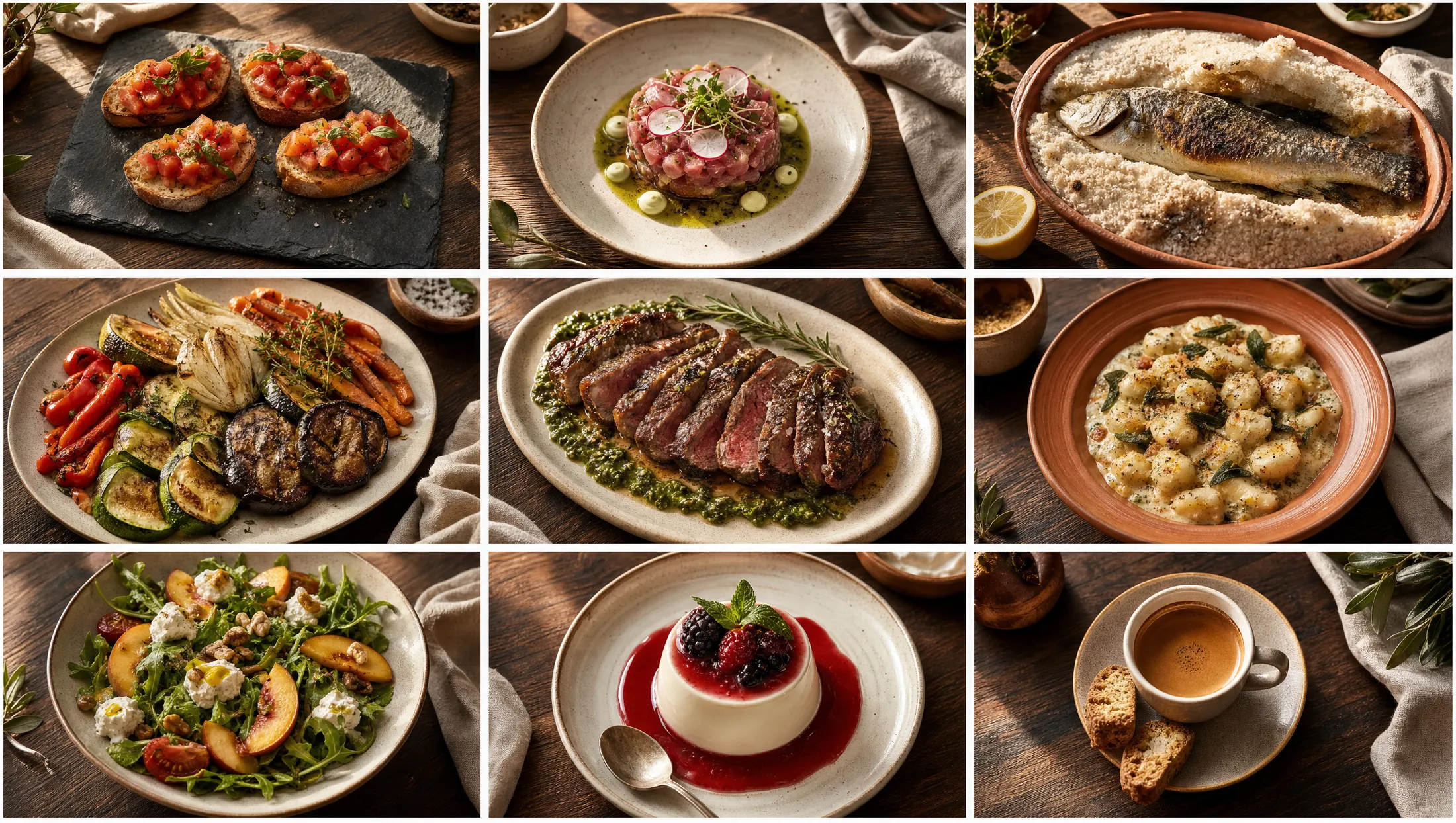
TL;DR — Key Takeaways
The single biggest leverage in AI food photography is the reference image — feeding the AI a real phone photo of the actual dish, then generating polished variations from it.
Brand-consistent AI imagery requires a saved "style anchor" — a defined visual identity (lighting, surfaces, plating, color palette) that future generations match automatically.
For hotel chains and restaurant groups, brand consistency at scale is impossible without structured reference image and style anchor systems. Manual prompt-writing across 50 properties produces visual chaos.
Some image tools let you reuse a reference photo across generations. In Intermenu, the promo image studio accepts your own reference images, and dish photos generated from the dish editor need no prompt at all — both draw on the plan's monthly image allowance.
A consistent visual library across 30+ dishes, generated in an afternoon, produces the same brand authority as a $20K studio shoot — with infinite refresh capability.
Why brand consistency is the harder AI photography problem
Generating one good-looking AI food photo is easy in 2026. Generating thirty good-looking AI food photos that all look like they belong to the same restaurant brand is harder. Generating three hundred good-looking AI food photos across fifty hotel properties that all look like they belong to the same hospitality group — that's the actual problem.
The solution is not "write better prompts." Even an expert prompt writer producing 30 photos one at a time will produce 30 photos that look subtly different from each other. The solution is structured reference inputs and saved style anchors — a system that locks the brand identity in place and makes every generation match it automatically.
This article covers how the system works, how to set it up, and how restaurant groups and hotel chains use it at scale.
What's a reference image and how does it work?
A reference image is a photo you provide to the AI as input — usually a casual phone photo of the actual dish — that tells the AI what the dish should look like before generation begins.
Without a reference image, the AI imagines your dish from your text description. The output might match what you intended; it might not. The AI's "tagliatelle al ragù" is an average across all the tagliatelle al ragù photos in its training data, which means it looks like a generic tagliatelle al ragù — not yours.
With a reference image, the AI starts from your specific dish. The output reflects your plating, your sauce thickness, your cheese coverage, your portion size, your specific ingredient cues. The polished variation looks like your dish, professionally photographed.
The workflow:
Take a clean phone photo of the actual dish, in decent light, on a representative plate. Doesn't have to be artful — just clear.
Upload to a hospitality-trained AI platform that accepts reference images.
Add a style anchor prompt ("warm afternoon light, rustic wood surface, editorial style").
Generate 3–5 polished variations.
Pick the best.
The output is unmistakably your dish, in studio quality. The 30-second phone photo + AI generation produces what previously required a studio shoot.
Can I create a custom style for my restaurant?
Yes. This is the second leverage point after reference images, and it's how restaurant brands move from "AI photos that look generic" to "AI photos that look like our brand."
A custom style anchor is a defined visual identity that future generations match automatically. Three components:
1. Lighting language."Warm afternoon natural light from upper left, soft shadows" or "cool diffused window light, slightly overcast day" or "golden hour ambient light." Pick one and use it everywhere.
2. Surface and prop language."On a rustic dark wood table with a linen napkin" or "on white marble with a small cast-iron handle visible" or "on a slate slab with cream-colored linen." Pick one.
3. Photographic style language."Editorial food photography style, like Saveur magazine" or "Restrained Scandinavian minimalist" or "Warm intimate home-cooking blog style" or "High-end omakase restaurant menu photography." Pick one.
Combine the three and you have a style anchor. Save it. Apply it to every generation. The result: a 30-dish menu library that looks like it was shot in one session, on one day, by one photographer — even though the images were generated months apart.
Write the anchor down once as a short sentence and reuse it every time. In Intermenu's promo image studio you paste it into the "Picture of food" description and add your own reference images (earlier results can be reused as references); dish photos generated from the dish editor are built from the dish's name, description and preparation notes, with no prompt to write.
How many reference images do I need to train a consistent style?
For most independent restaurants:1 reference image per dish, plus 1 style anchor is enough.
For larger operations or chains:5–10 brand-defining reference images train a more comprehensive style — the platform learns not just "lighting and surface" but "how this brand handles plating, garnish, color palette, dish proportion."
For hotel chains and franchises with strict brand standards:20+ reference images locked into a brand-style library, applied across every property.
The diminishing returns kick in around 10 images. Going from 1 to 5 makes a big difference; going from 50 to 100 produces marginal improvements.
The practical recommendation:
Independent restaurant: provide a reference photo for each dish you generate, plus save 1 style anchor.
Hotel property: provide 5–10 reference photos that span your brand's style range, plus save a property-specific style anchor.
Hotel chain or restaurant group: build a 15–25 image brand reference library, accessible across all properties, with property-specific style anchors layered on top.
How do hotel chains handle visual consistency across properties?
This is one of the highest-leverage use cases for AI food photography in 2026, and one of the strongest arguments for choosing a hospitality-trained platform over a generic AI image generator.
The hotel chain problem:
50+ properties globally
Each property has 3–5 F&B outlets (main restaurant, bar, room service, banquet)
Each outlet has 30–60 menu items
Total: thousands of dish images that all need to feel like the same brand
Without a system: each property generates dish photos independently, the brand looks scattered, corporate marketing has no control
The hotel chain solution in 2026:
A central brand-style library: 15–25 reference images defining the chain's visual identity
Property-specific style anchors that respect regional variation while keeping the brand DNA intact
Workflow: each property's F&B manager uploads a phone photo of a new dish, the platform generates polished variations using the central brand style + the property's regional anchor
Output: thousands of dish images that look unmistakably like one chain, with subtle regional flavor
This is essentially impossible without structured reference image and style anchor systems. Manual prompt-writing across 50 properties produces visual chaos by week three.
Intermenu has no central brand library, so the anchor lives in a shared written brief and a set of reference photos that each property adds in the promo image studio. On the Multi plan, each location runs its own menus and all locations draw on one shared monthly image allowance.The corporate marketing team controls the brand DNA; the property F&B managers move quickly without breaking it.
What does brand-consistent AI photography look like in practice?
Walk through a real example for an independent Italian restaurant building a multilingual menu in 2026.
Step 1 — Define the style anchor. The owner picks: "Warm afternoon natural light from upper left, soft shadows. On a rustic dark wood table with a casual linen napkin. Editorial food photography style, restrained and elegant, like a Saveur magazine spread."
Step 2 — Upload reference images for the first 5 signature dishes. Phone photos taken during a normal service, clean plates, good light, no styling needed.
Step 3 — Generate the first 5 dish photos. Each runs through: reference image + style anchor → 3 variations → pick the best.
Step 4 — Lock the style. The first 5 generated images become the brand's reference library. Save them as style anchors.
Step 5 — Generate the rest of the menu. For dishes where the owner has phone photos, use them as references. For dishes that aren't currently being served, use detailed text descriptions plus the saved style anchor.
Step 6 — Push to all surfaces. Menu, website, delivery platforms, social media, ads. Same library, same brand identity, every surface.
The total time investment: an afternoon. The total cost: $20–$50 in AI generation, plus the platform subscription. The output: 30 dish photos that look like a coherent restaurant brand, indistinguishable from a $15,000 studio shoot.
The same workflow runs for the next 30 dishes when the menu rotates seasonally, at the same cost. The brand consistency is maintained automatically because the style anchor is saved and reapplied.
What goes wrong with AI brand consistency (and how to avoid it)
Five common failure modes seen in real-world hospitality deployments.
1. Style anchor drifts over time. Each new dish gets generated with slightly different prompt language, the style migrates gradually, by month three the menu looks scattered. Fix: save the style anchor as a reusable asset, apply it programmatically rather than retyping it each time.
2. Different generators used for different dishes. Owner generates lunch photos in one tool, dinner photos in another, social content in a third. Each tool has different model behavior. Output looks inconsistent. Fix: use one platform for all menu and brand visuals.
3. No reference images on new dishes. When a new dish is added, the owner skips the reference image step (because the dish hasn't been plated yet). The AI imagines it, the result doesn't match what the kitchen actually serves. Fix: even a casual sketch or hand-drawn diagram works as a reference image for new dishes.
4. Inconsistent brand tone across captions and copy. The visual style is consistent, but the copy under each photo isn't. Diners read the visual + copy as one experience. Fix: standardize caption tone alongside visual style.
5. Property-level overrides break the brand DNA. A hotel chain's regional property decides their style anchor is too restrictive and starts generating their own way. Within months, that property looks off-brand. Fix: corporate marketing reviews property-level anchor adjustments before they go live.
The throughline: brand consistency at scale requires structured systems, not just prompt-writing skills.
Frequently Asked Questions
How do I keep all my AI photos looking like the same brand? Use a saved style anchor — a defined visual identity (lighting, surfaces, photographic style) applied to every generation. Combined with reference images of your actual dishes, this locks brand consistency across the menu.
What's a reference image and how does it work? A photo of your actual dish, provided to the AI as input. The AI generates polished variations that match your specific plating, ingredients and proportions — rather than imagining a generic version from text alone.
Can I create a custom style for my restaurant? Yes. Three elements: lighting language, surface/prop language, photographic style language. Combine them, save once, apply to every dish generation.
How many reference images do I need to train a consistent style?1 per dish for most operators, plus 1 style anchor. Larger operations benefit from a 5–10 image brand library; hotel chains use 15–25 reference images at the corporate level.
How do hotel chains handle visual consistency across properties? Central brand-style library at the corporate level, property-specific style anchors, individual dish references at the property level. Without this structure, multi-property brand consistency is essentially impossible.
Lock Your Brand Style in an Afternoon
If your AI dish photos look slightly different every time, you don't need a better generator — you need a saved style anchor and a reference image system. Intermenu gives you the working pieces: the promo image studio takes your own reference photos, and the dish editor generates dish photos without a prompt, all within your plan's monthly image allowance. Keep the anchor itself as one written sentence you reuse.
Set up your style anchor once and see what consistent brand photography across your full menu looks like →
Related guides
Publishing AI images in the EU now carries a disclosure duty. See our guide to labelling AI images under the EU AI Act.