POS, KDS & Menu System Integration: A Restaurant Tech Glossary
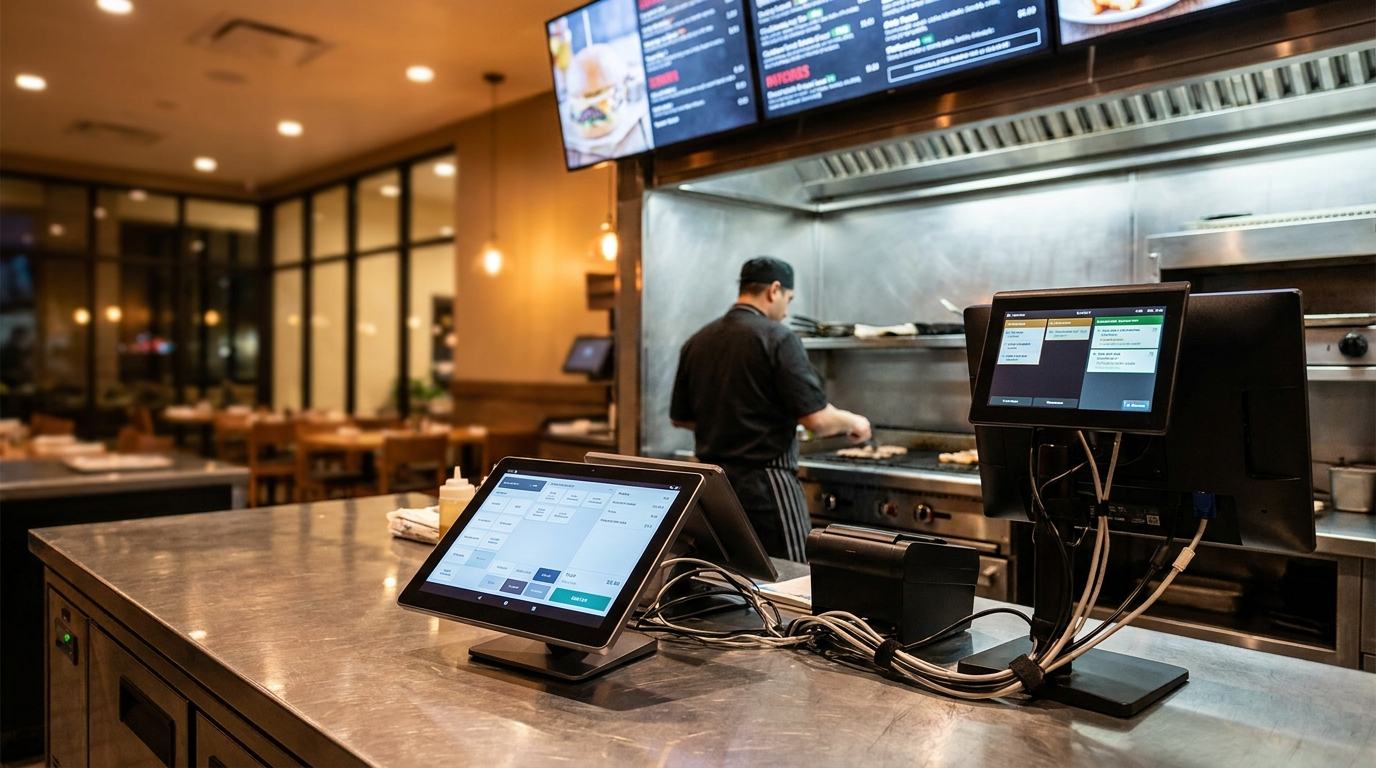
POS, KDS, OMS — the tech glossary every restaurant owner should know in 2026.
TL;DR — Key Takeaways
The 2026 restaurant tech glossary: POS (Point of Sale, the order entry and payment system), KDS (Kitchen Display System, where orders appear in the kitchen), OMS (Order Management System, the order routing and tracking layer), and the menu management platform (the master menu source-of-truth).
POS-menu sync is one of the most important integrations in modern restaurant operations — when the digital menu and POS are misaligned, the kitchen receives orders that don't match the menu and prices drift.
Major POS systems (Toast, Square, Lightspeed, Revel, Clover) integrate with major hospitality menu platforms in 2026. The integration is a checkbox setup at most operations.
A QR menu can directly send orders to the kitchen — when integrated with KDS — eliminating server-as-order-taker for casual dining contexts and lifting table turnover.
The 2026 trend: consolidation. Restaurants are reducing the number of separate tech tools they run, and integrations are getting better as the major platforms consolidate around standard data formats.
What's a POS, KDS, OMS — and which do I need?
POS (Point of Sale)
The system that takes orders, processes payments, and tracks transactions.
What it does: Order entry (server inputs guest orders), payment processing (card, mobile wallet, cash), kitchen ticket generation (sends orders to the kitchen), daily sales reporting, often integrated with menu management.
Examples: Toast, Square, Lightspeed, Revel, Clover, MICROS
Most restaurants need: yes, this is essential
KDS (Kitchen Display System)
The screen-based system in the kitchen that shows orders for the cooking team.
What it does: Displays orders by position, course, or station; tracks order timing (how long has this been pending?); coordinates between cold station, hot station, etc.; often integrated with POS.
Most restaurants need: mid-size and larger operations benefit; very small operations may use printed tickets.
OMS (Order Management System)
The order routing and coordination layer, particularly important for multi-channel operations (dine-in + takeout + delivery).
What it does: Routes orders from multiple channels (POS, online ordering, third-party delivery) to the right kitchen station; tracks order status across channels; manages capacity (when can the kitchen handle the next order?).
Most restaurants need: restaurants with significant takeout/delivery business; less critical for dine-in-only.
Menu management platform
The master menu source-of-truth — the digital home for all menu data.
What it does: Defines the menu (dishes, descriptions, prices, allergens, photos); generates digital menu interfaces (QR menu); translates the menu to multiple languages; provides menu analytics; syncs with POS (so menu changes propagate to order entry).
Examples: Intermenu, MenuPlato, Bbot, MenuTiger
Most restaurants need: yes — increasingly essential infrastructure in 2026.
How should my menu sync with my POS?
The 2026 best-practice integration:
Single source of truth: The menu management platform is the master. Dish names, descriptions, prices, allergens, photos all originate here. The POS reads from the menu platform.
Real-time sync: When a dish is changed on the menu platform, the POS reflects the change within seconds. No drift between what the guest sees and what the server can enter.
Bidirectional data flow:
Menu platform sends: dish definitions, prices, modifiers, availability flags
POS sends back: order data (which dishes were ordered, when, by which guest), inventory updates (86'd items), service-period data
Outlet-aware sync: For multi-outlet operations (hotels), the sync is per-outlet. A dish at the main restaurant and at room service might have different prices; the sync handles this.
Intermenu is the menu master: dishes, prices, choices and extras, allergens, photos and translations. It does not take orders; the POS does. Intermenu's menu insights download as a spreadsheet, so dish opens can sit next to your POS sales in your own reporting.
Are integrations worth it or do they create more bugs?
In 2026: yes, integrations are worth it. The 2018 era of "integrations are buggy" has largely passed.
Why integrations work better in 2026:
Standard data formats (Open Menu Schema, etc.) reduce per-integration work
Major platforms have APIs that have been hardened over years
Hospitality industry has consolidated around fewer dominant POS systems
AI-powered debugging surfaces issues quickly
The remaining integration risks: Edge cases (unusual dish modifiers, complex pricing structures, region-specific tax handling), older POS systems with limited API support, custom-built integrations that don't follow standards, multi-property operations with mixed POS systems across properties.
What's the right way to evaluate a POS integration?
Five criteria when evaluating a hospitality menu platform's POS integration:
1. Real-time sync
Does the integration sync in seconds, or in minutes/hours? Real-time is the modern standard.
2. Bidirectional data flow
Does data flow both ways (menu → POS for definitions, POS → menu for analytics), or is it one-way?
3. Modifier support
Does the integration handle modifiers (gluten-free option, no cheese, etc.)? Some basic integrations don't.
4. Multi-outlet support
For multi-outlet operations: does the integration handle per-outlet pricing, per-outlet availability, per-outlet menu views?
5. Failure handling
When the integration has an outage, what happens? Are orders queued and synced when restored, or lost?
A modern integration handles all five well. An older or weaker integration may handle only 1-2.
Can my QR menu directly send orders to the kitchen?
Yes — and this is an increasingly common 2026 pattern for casual dining. Before wiring it up, read what changes when guests order from the QR menu.
The setup:
Guest scans the QR menu at the table
Selects dishes, taps "place order"
Order goes directly to the kitchen via the POS-KDS integration
Server is informed (notification on staff device)
Kitchen prepares; server delivers to the table
Benefits: Lift table turnover (orders placed faster than server-mediated). Reduce server time-per-table (servers focus on hospitality, not order entry). Reduce order errors (no transcription mistakes between server and kitchen). Multilingual ordering (the menu translates the order; the kitchen sees it in the local language).
When this works: Casual dining and fast-casual (most appropriate). Quick-service contexts. Hotel room service (very appropriate). Some mid-tier restaurants where the server-led service isn't core to the brand.
When this doesn't work: Fine dining (hospitality remains server-led). Restaurants where the server-recommendation interaction is part of the value. Older guest demographics who prefer to order verbally.
How does menu data flow through a modern restaurant stack?
A practical end-to-end example:
Day 1 — Menu update: Chef adds a new dish to the master menu in the menu management platform. Description, ingredients, allergens, price, photo all populated. AI translation runs across every language you offer. Native-speaker review on the dish description (top 5 languages).
Day 1 — Sync: Menu platform syncs to POS within seconds. POS reflects the new dish in the order entry interface. Modifiers, allergens, and pricing all flow through.
Day 1 — Available: The new dish is now visible on the QR menu (guests scanning see it). Server can ring it up on the POS. Kitchen has the dish on the KDS.
Day 2 — Guest orders: Guest scans QR menu, sees the new dish in their language. Guest places order via the QR menu. Order flows to the POS. POS sends to KDS. Kitchen prepares. Server delivers (notified by staff app). Guest pays via QR-pay-at-table or server-led payment.
Day 7 — Analytics: Menu platform shows how often the new dish is opened. POS shows how many were ordered and the revenue contribution. The operator sets the two side by side and decides whether to keep, modify, or cut.
This end-to-end flow is the 2026 reference architecture. The menu platform is the substrate; the POS handles transactions; the QR menu is the guest interface; the analytics close the loop.
Frequently Asked Questions
What's a POS, KDS, OMS — and which do I need?
POS (essential) for orders and payments. KDS (helpful for mid-size+) for kitchen order display. OMS (helpful for multi-channel) for order routing across delivery and dine-in. Menu management platform (essential) for master menu source-of-truth.
How should my menu sync with my POS?
Menu platform as master, POS reads from it. Real-time sync in seconds. Bidirectional data flow. Outlet-aware. Multi-language ID-bridged.
Are integrations worth it or do they create more bugs?
Yes — 2026 integrations work much better than 2018-era integrations. Standard data formats and platform consolidation have reduced bug risk significantly.
What's the right way to evaluate a POS integration?
Five criteria: real-time sync, bidirectional data flow, modifier support, multi-outlet support, failure handling.
Can my QR menu directly send orders to the kitchen?
Yes — through POS-KDS integration. Common in casual dining; less common in fine dining where server-led service remains the norm.
See How Intermenu Fits Your Stack
Most restaurants in 2026 don't need a custom-integrated stack — they need a menu platform that integrates cleanly with the POS they already have.
Intermenu runs the guest-facing menu (the multilingual menu, allergen filter, AI dish photography and menu insights) next to the POS you already have. The insights download as a spreadsheet, so you can set dish opens beside the sales your POS records.
If you've been worried that "another tool" adds complexity, see what platform consolidation through integration actually looks like →