
Restaurant Menu Ideas: 50+ Examples, Templates & Tips by Type (2026)
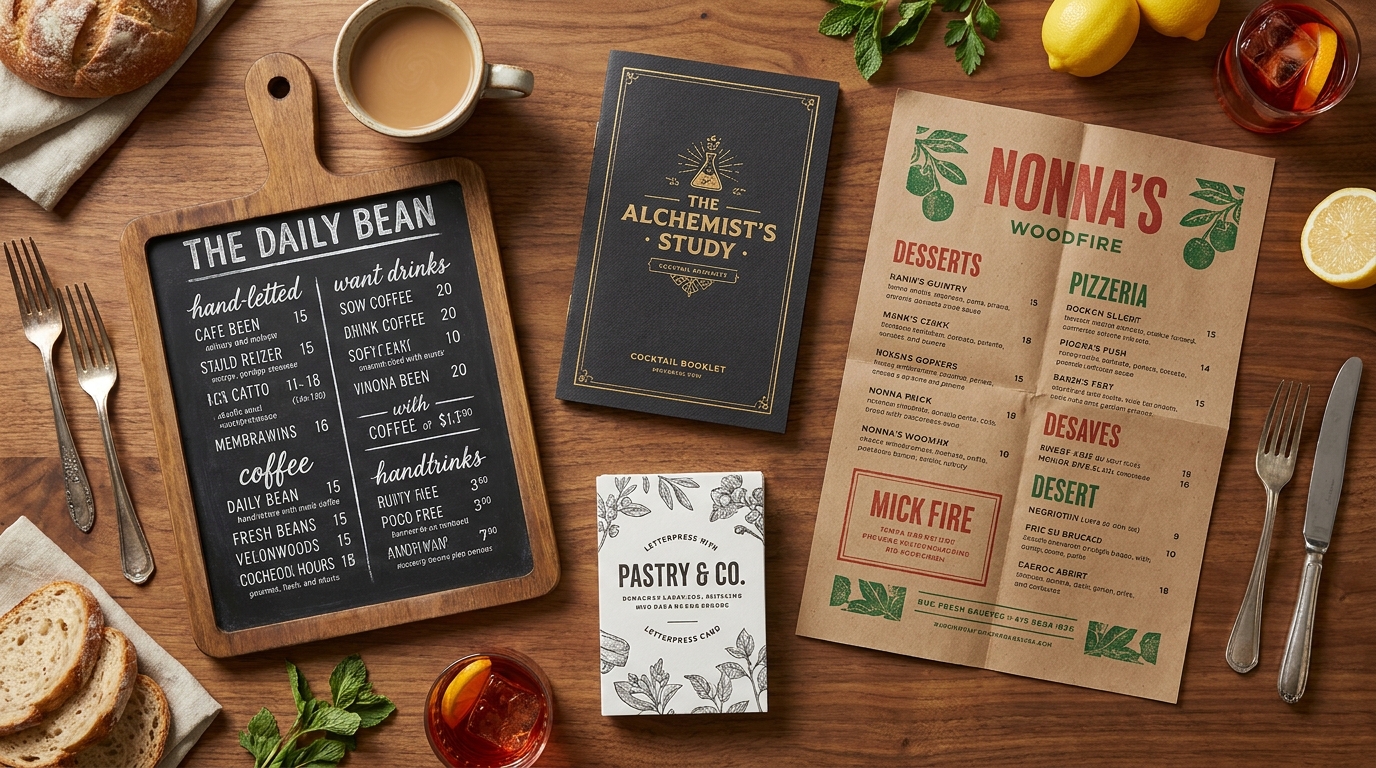
The complete hub of restaurant menu ideas: what to include, how to design and price a menu, ideas for every venue type, and how to turn it into a live digital menu.
TL;DR — Key Takeaways
A great restaurant menu does three jobs at once: it reflects your concept, guides guests to your most profitable dishes, and is easy to update. Treat it as a sales tool, not a price list.
Every menu is built from the same blocks — sections, descriptions, pricing, dietary labels and (optionally) photos — but the ideas change completely by venue type. This guide covers seven: café, bar, brunch, food truck, catering, pizzeria and bakery.
You don't need a designer to start. Build the menu in seven steps — concept, list, organize, right-size, describe, price, design — then publish it.
Pricing is where menus make or lose money. The widely-cited 30/30/30/10 rule (≈30% food cost, 30% labor, 30% overhead, 10% profit) is the sanity check most "menu ideas" articles skip.
Print is no longer the finish line. A digital QR menu can be translated, filtered for allergens, updated instantly and tracked — advantages a printed sheet simply can't match in 2026.
What makes a great restaurant menu in 2026?
Ask ten guests what they remember about a restaurant and the menu will come up before the décor. It is the one piece of marketing every single customer reads, and the design choices on it quietly move thousands in revenue every month. Yet most menus are still treated as an afterthought — a list of dishes and prices typed up once and rarely revisited.
A great menu in 2026 does four things. It reflects your concept so a guest understands who you are in seconds — a tight, confident menu says "we know what we do." It guides choice toward the dishes you most want to sell, using position, descriptions and the occasional photo. It reads cleanly on a phone as well as on paper, because more guests now scan a QR code than pick up a card. And it changes easily, because the best operators treat the menu as a living document they refine every few weeks — pulling the dish that isn't selling, nudging a price, adding a seasonal special — rather than reprinting once a year and hoping.
This guide is the hub for getting all of that right. We'll cover the universal building blocks, a seven-step process to create a menu from scratch, then dozens of restaurant menu ideas organized by venue type so you can jump straight to your format. Throughout, we'll point to the deeper guides on pricing, design, photography and going digital.
What should be on a restaurant menu? The building blocks
Whatever you serve, almost every menu is assembled from the same components. Get these right and the venue-specific ideas later will fall into place.
The classic menu sections
The traditional order follows how people actually eat a meal: appetizers → soups → salads → mains (entrées) → sides → desserts → beverages. Within that, group logically — a seafood section, a pasta section, a grill section — so a guest's eye can travel straight to what they're craving. Casual concepts often swap course-based sections for food-type ones —burgers, bowls, tacos, wraps, sharing plates— which is perfectly valid and often clearer. The rule is simply that a guest should be able to scan the menu and instantly know where to look. A good test: hand your menu to someone who's never seen it and ask them to find a vegetarian main in five seconds. If they can't, your sections need work.
À la carte, prix-fixe and the 7-course menu
Most restaurants run à la carte (each item priced individually), which gives guests maximum freedom and you maximum per-item margin. A prix-fixe menu offers a set number of courses for one price — excellent for controlling food cost, speeding service and creating a sense of occasion (think a £35 two-course lunch or a holiday set menu). A formal7-course menu— typically an hors d'oeuvre, soup, fish course, main, salad or cheese, dessert and a final petit four — is a fine-dining structure that signals a special evening and justifies a premium price. Many restaurants run two formats at once: à la carte most nights, prix-fixe for lunch or holidays. Choosing your format is the first creative decision, because it shapes pricing, pacing and kitchen load.
Menu descriptions that sell
The difference between "Lamb curry" and "Slow-braised lamb shoulder in a rosemary-and-red-wine jus, with saffron rice" is real money. Sensory, specific descriptions build anticipation and quietly justify a higher price. Name the headline ingredient, the technique ("slow-braised," "wood-fired," "house-cured"), and one evocative detail (origin, texture, or a signature garnish) — then stop before it becomes a paragraph. A few quick before-and-afters:
"Chicken sandwich"→"Buttermilk-fried chicken, slaw and house pickles on a toasted brioche bun."
"Beet salad"→"Roasted heritage beets, whipped goat cheese, candied walnuts and orange."
"Chocolate cake"→"Warm dark-chocolate fondant with a molten center and salted-caramel ice cream."
Descriptions are also where you do quiet menu engineering: give your highest-margin dishes the most appetizing copy.
Pricing, dietary labels and photos
Three finishing touches turn a list into a sales tool. Price each item deliberately against food cost and perceived value (more below). Label dietary and allergen information clearly with simple, consistent icons — vegan, vegetarian, gluten-free, spicy — so cautious guests can order with confidence. And add photos to the dishes you most want to sell: items shown with a photo typically sell meaningfully more than those without — a lever we cover in depth in our AI food photography playbook.
How to create a restaurant menu in 7 steps
Define your concept. Cuisine, audience, price point and vibe. Are you a fast-casual taco spot or a candlelit bistro? Every later decision — sections, descriptions, pricing, design — should answer to this one.
List every dish and drink you can execute consistently at volume. Brain-dump first without judging; you'll edit hard later. Note which dishes share ingredients — cross-utilization is how you keep a varied menu without a sprawling pantry.
Organize into sections by course or food type so the menu scans naturally, and decide the order in which guests meet your offerings.
Right-size the menu. Too few items feels thin; too many causes decision fatigue and slows the kitchen. Aim for roughly5–7 items per category (more on this below).
Write the descriptions using the sensory approach above, spending your best copy on your highest-margin dishes.
Price each item against food cost and perceived value, with a deliberate spread from accessible to premium (see the next section).
Design the layout so the eye lands on your highest-margin dishes, then publish — ideally as a digital menu you can edit anytime, translate, and track.
Restaurant menu ideas by type
This is the heart of the guide. Pick your venue and jump to the dedicated deep-dive — each one gives you the full item categories, a sample menu and how to build it.
Coffee shop & café menu ideas— espresso drinks (latte, flat white, cortado), specialty and seasonal lattes (matcha, honey-lavender, pumpkin spice), cold brew and nitro, grab-and-go food and the bakery case.
Bar & cocktail menu ideas— signature and classic cocktails, beer and wine, the fast-growing mocktail section, and the bar food (wings, sliders, loaded fries) that keeps tabs open.
Brunch & breakfast menu ideas— sweet mains (pancakes, French toast) and savory mains (eggs benedict, shakshuka), sides, drinks, and the service formats (buffet, à la carte, bottomless) that fit your room.
Food truck menu ideas— high-profit, fast, small-footprint concepts (tacos, smash burgers, loaded fries) built for a line and a tiny kitchen.
Catering & event menu ideas— packages and pricing by event, from weddings to corporate boxed lunches to budget buffets that feed a crowd.
Pizza & pizzeria menu ideas— classic and specialty pies, build-your-own with add-on pricing, the sides that pair with pizza, and online ordering.
Bakery menu ideas— breads, laminated pastries, cakes and cupcakes, high-margin cookies, a free-from section, and a digital menu for pre-orders.
Don't try to copy another venue's menu wholesale — look at your concept and neighborhood, then borrow the categories that fit. A café in a tourist district and a café next to an office will build very different menus from the same starting list.
How many items should a menu have?
More choice does not mean happier guests. Decision research consistently shows that beyond a certain point, extra options suppress orders — overwhelmed diners retreat to the safe, familiar choice or take longer to decide, slowing your turns and inflating your prep, inventory and waste. The reliable sweet spot is5–7 items per category, which for a typical full-service menu lands around 25–40 total items. A focused menu also sharpens your brand: a restaurant that lists eight things is clearly confident about them, while one that lists eighty looks unsure.
If you're cutting an oversized menu down, don't guess — use data. Keep your popular, profitable dishes; cut the items that are neither; and rework or reposition the ones that earn well but don't sell. Our menu engineering guide walks through exactly how to make those calls.
Menu design and layout that sells
Where you place a dish changes how often it's ordered. Eye-tracking studies point to a"golden triangle"on a printed page — guests' attention lands first at the top-center, then the top-right, then the top-left — so your highest-margin "stars" belong there, not buried at the bottom. On a digital menu, the equivalent is the top of each category, where the first two or three items get the most views.
A few design rules that consistently lift orders:
Keep a clear visual hierarchy— category headings stand out most, dish names next, descriptions smallest.
Use boxes and callouts sparingly— limit them to two or three per page so the ones you use actually draw the eye to a high-margin dish or a chef's special.
Don't line prices up in a column— a neat right-hand column invites guests to scan for the cheapest option; instead, let the price sit at the end of the description so they read the dish first.
Give your hero dishes room to breathe— white space around an item signals importance.
For the full treatment, see menu engineering.
How to price your menu for profit (the 30/30/30/10 rule)
Pricing is where menus quietly make or lose money. A useful sanity check is the30/30/30/10 rule: aim for roughly30% food cost, 30% labor, 30% overhead and 10% profit. It's not a law of physics — fine dining runs lower food cost and higher labor; a pizzeria runs the opposite — but if a dish's food cost is creeping toward half its menu price, either the price is too low or the recipe needs reworking. Calculate the plate cost of every dish, set the price to hit your target food-cost percentage, then sanity-check it against what a guest will happily pay.
Beyond cost, lean on pricing psychology: drop the currency symbol in upscale settings (it softens the "spending money" feeling), avoid round numbers where they read as cheap, anchor the menu with one premium item that makes everything else look reasonable, and bracket your hero dish between a pricier and a cheaper option so it becomes the comfortable middle choice. Our menu pricing psychology guide goes deep on the tactics.
Do menu photos increase sales?
Yes — and significantly. A well-shot photo beside a dish reduces a guest's uncertainty and pushes them toward ordering it, which is why photographed items reliably out-sell un-photographed ones, especially for unfamiliar dishes. The catch used to be cost: a professional shoot covered only a handful of plates. That constraint is gone — AI food photography now produces brand-consistent images of every dish at near-zero marginal cost. Photograph your stars and your high-margin "puzzles" first (the dishes that earn well but don't sell enough), and avoid photos on items that don't photograph well. The AI food photography playbook shows how to do it consistently.
Make your menu inclusive: dietary and allergen labels
More than half of diners now eat around a dietary rule at least sometimes, and groups choose a restaurant together — so one guest who can't find a safe option can cost you the whole table. Label vegan, vegetarian, gluten-free, halal and kosher options clearly, and disclose major allergens (the US recognizes nine, the EU requires fourteen). The trick is to do it without cluttering the page, which is far easier on a digital menu where guests can simply filter to what they can eat instead of decoding a wall of icons. Our guides to inclusive special-diet menus and allergen compliance cover the whole system.
Print vs. digital: why a QR menu wins in 2026
A printed menu is fixed the moment it leaves the printer — every sold-out dish, price change and seasonal special means a reprint or a scribbled apology. A digital QR menu can be updated in seconds, filtered to a guest's diet, translated into their language, photographed dish-by-dish, and tracked so you can see what people actually view and order. That last point is the quiet superpower: a digital menu gives you analytics— which dishes get viewed but not ordered (a description or price problem), which sell themselves, how orders shift by language. For most restaurants in 2026 the question isn't whether to go digital but how— start with our complete QR code menu guide.
Multilingual menus for tourist areas
If you serve travelers, a menu they can read in their own language is often the reason they choose you over the place next door — especially for diners who need to confirm something is halal or allergen-safe before they commit. A printed translation is a separate laminated sheet that's always out of date; a digital menu can re-render the same dishes in 15 languages without a single reprint, and keep the dietary tags accurate in every one. See our guide to multilingual restaurant menus and, for cuisine-specific naming, our world cuisines guide.
Restaurant menu trends for 2026
A few shifts worth designing around this year:
Shorter, sharper menus. The 100-item menu is fading; operators are trimming to a focused set they can execute brilliantly.
Digital-first and QR-native. More guests scan than pick up a card, so menus are being designed for the phone first.
Plant-based as default, not afterthought. A genuinely good vegan or vegetarian option in each section is now expected.
Hyper-seasonal specials. Frequent, promotable specials keep regulars curious and let you ride ingredient costs.
Transparency. Sourcing, allergens and dietary info shown openly — trust sells.
You don't need to chase all of them; pick the one or two that fit your concept.
7 restaurant menu mistakes to avoid
Too many items— decision fatigue, slower kitchen, more waste.
No visual hierarchy— guests can't find your best dishes.
Weak descriptions— "lamb curry" instead of selling the dish.
Pricing in a neat column— encourages bargain-scanning.
No dietary or allergen labels— loses entire tables.
Set-and-forget— never reviewing what actually sells.
Print-only— no updates, no translation, no data.
Build your menu free with Intermenu
You've got the ideas — now publish them. Intermenu turns any of the menus in this guide into a live, mobile-first QR menu: tag every dish for diet and allergens, generate appetizing photos, translate into 15 languages, update in seconds, and see what guests actually order.
Start building your menu free with Intermenu →
Frequently Asked Questions
What should be on a restaurant menu?
The classic sections are appetizers, soups, salads, mains, sides, desserts and beverages, each with clear dish names, sensory descriptions, prices and dietary/allergen labels. Casual venues can swap courses for food-type sections like burgers, bowls or tacos — the goal is that a guest can find what they want in seconds.
How do you make a restaurant menu?
In seven steps: define your concept, list every dish and drink, organize into sections, right-size to about 5–7 items per category, write selling descriptions, price for profit, and design the layout — ideally as a digital menu you can edit anytime.
What is the 30/30/30/10 rule for restaurants?
A budgeting guideline: aim for roughly 30% food cost, 30% labor, 30% overhead and 10% profit. It's a quick way to check whether a dish is priced sustainably; adjust the mix to your format (fine dining runs lower food cost, pizzerias higher).
How many items should a restaurant menu have?
Around 5–7 per category (roughly 25–40 total for a full-service menu). Beyond that, decision fatigue suppresses orders and the kitchen slows down.
What is a 7-course menu?
A formal fine-dining structure — typically hors d'oeuvre, soup, fish, main, salad or cheese, dessert and a final petit four — served as a set sequence to create an occasion.
Should a restaurant menu have photos?
For most casual and mid-tier concepts, yes — photographed dishes out-sell un-photographed ones, especially unfamiliar items. Photograph your highest-margin dishes first. Fine-dining menus often stay text-only by choice.
Is a printed or digital menu better?
Digital wins on flexibility: instant updates, translation, allergen filtering, photos and analytics. Many restaurants keep a simple printed version for ambiance and use a QR menu for the full, current experience.
How do I make a digital / QR menu?
Build it once in a tool like Intermenu, tag each dish's data (diet, allergens, photos, translations), and publish it behind a QR code — then update it anytime without reprinting.