
Google Business Profile for Restaurants: 12-Field 2026 Guide
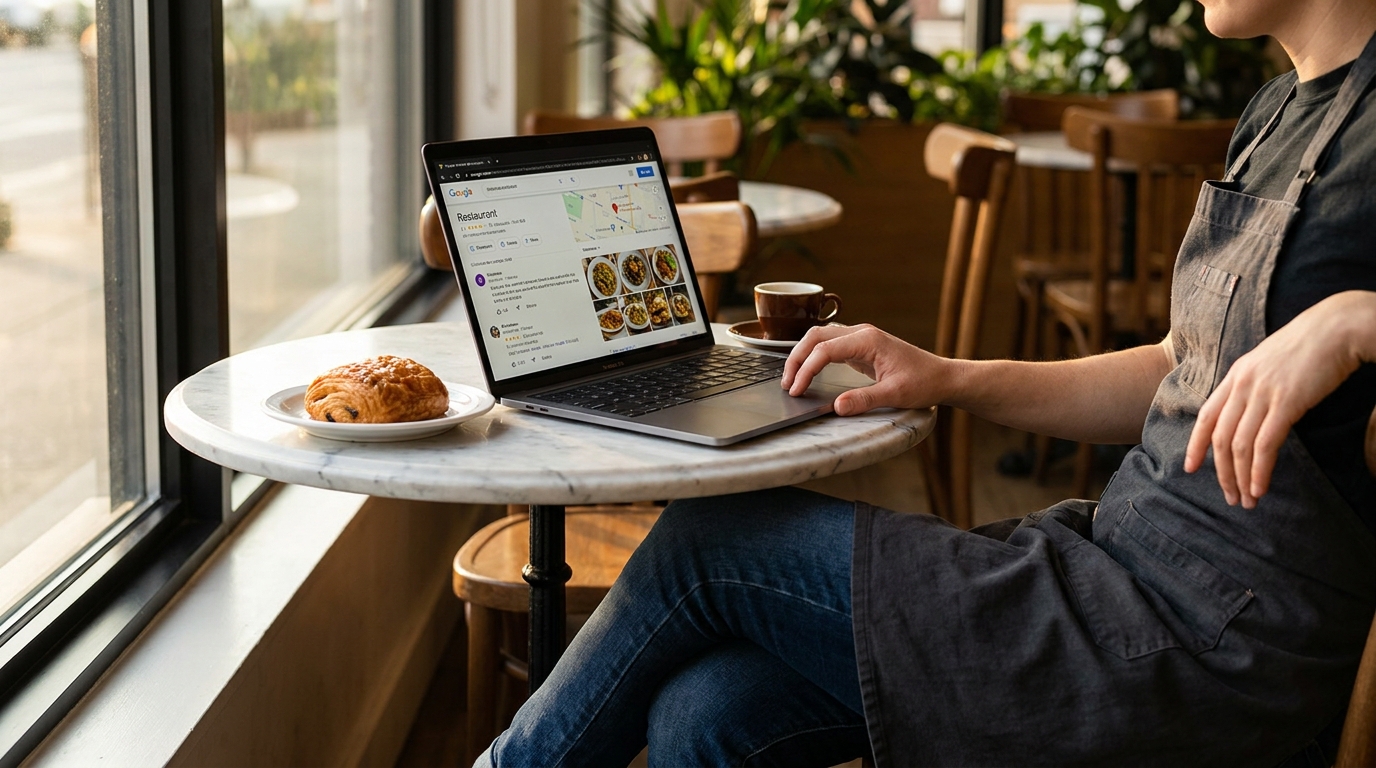
Your Google Business Profile decides whether a hungry guest two blocks away ever sees you. This 2026 playbook covers the 12 fields that move rankings, the category trick most owners miss, and the menu and order links that keep guests on your own channels.
TL;DR — Key Takeaways
Your Google Business Profile outranks your website for almost every "restaurant near me" search — treat it as your primary storefront, not an afterthought.
Primary category is the single highest-leverage field on the entire profile; switching from "Restaurant" to "Pizza restaurant" can double Map Pack impressions overnight.
Photos drive engagement more than any other content type, and Google rewards a steady 3–5 uploads per month over a one-time photo dump.
Reviews are the prominence signal— volume, recency, and response rate all count, and a 24-hour reply window is the operator standard in 2026.
The Menu and Order links are the only fields that route guests to your direct channels— point them at your own live menu and your own direct ordering URL, not a third-party app that takes 25–30%.
Why GBP is the highest-leverage marketing channel a restaurant has
Walk past any restaurant at 7 p.m. on a Friday and watch what the people on the sidewalk are doing. They are not typing URLs into a browser. They are searching "pizza near me," "best brunch," or "open now" — and Google answers with a Map Pack of three businesses, which captures about 42% of all clicks on local-query result pages. If you are not in those three, you are functionally invisible for that search. For the broader picture of how tourists actually discover restaurants in 2026, that Map Pack moment is decisive.
According to Google's own data, customers are 70% more likely to visit and 50% more likely to consider purchasing from businesses with a complete Business Profile. That single statistic explains why the operators winning local discovery in 2026 are not necessarily the ones with the prettiest website. They are the ones who treat Google Business Profile (GBP, formerly Google My Business) like a daily marketing surface.
Voice and AI search reset the bar again in 2026. Searches for "food near me open now" are up around 875% year-over-year on mobile, voice queries continue to grow double-digits, and AI Overviews now sit at the top of half the restaurant-intent SERPs — most of them quoting GBP fields directly. A guest who asks Gemini "where should I eat near Prenzlauer Berg" gets an answer built from category, hours, reviews, and photos. The website is no longer in the loop. The profile is only half of that job; the rest is optimising your restaurant for AI assistants.
The National Restaurant Association's 2026 industry forecast projects U.S. restaurant and foodservice sales will reach $1.55 trillion in 2026, but most of that growth is menu pricing, not traffic. Real visits are flat. That means the only way to grow covers is to take share from the place down the block — and the Map Pack is where that fight happens.
The 5 signals Google ranks restaurants on
Google has publicly said three things drive local rank: relevance, distance, and prominence. Operators who have run their own A/B tests on profiles will tell you there are two more that matter in practice: activity and engagement.
Relevance
Relevance is how well your profile matches what the searcher typed. Your primary category, your business name, the words in your description, and the items on your menu link all feed this signal. According to the 2025 Local Search Ranking Factors survey, primary GBP category is the single most influential factor in Local Pack rankings — which is why a profile categorized as "Italian restaurant" will not show up for "pizza near me" as reliably as one categorized "Pizza restaurant," even if you sell the exact same Margherita.
Distance
The closer the searcher is to your front door, the more weight you get. You cannot move your building, but you can make sure the address pin is on the actual entrance (not the rooftop), service-area attributes are clean, and your hours are accurate so Google doesn't downgrade you for being "closed." Tourist-heavy locations get an extra lift from the tactics in our restaurant Google Maps SEO guide for tourist visibility.
Prominence
Prominence is Google's measure of how well-known your restaurant is across the web. Reviews, mentions in local press, links to your site, and your offline reputation all feed it — including how often AI assistants like ChatGPT and Google AI Overviews cite you when tourists ask where to eat. In a competitive downtown core, prominence is usually the tiebreaker between three identical neighborhood spots.
Activity
Activity is the cadence of work you do on the profile itself: photo uploads, weekly Posts, attribute updates, Q&A answers. Profiles that go silent for a month visibly drop in the Map Pack. Profiles that get touched every week climb.
Engagement
Engagement is what guests do on the profile after they find it: clicks to call, direction taps, website visits, menu views, and photo views. Google reads engagement as a quality vote. A profile that gets a lot of profile views but no clicks gets penalized, one with healthy click-through gets boosted. The menu-view tap is the single most measurable engagement signal you can influence — a live menu like Intermenu reports menu views, dish opens, the language each view was read in and where guests came from. Tag your GBP menu link as a campaign link and those visits show up as their own source, so you can see how many guests reach your menu from Google.
How to rank higher on Google Maps as a restaurant
“How do I rank higher on Google Maps?” is the question behind every other question in this playbook, so it deserves a direct answer. Google Maps for restaurants runs on exactly the five signals above — relevance, distance, prominence, activity, and engagement. There is no separate “Maps algorithm” to game: your restaurant Google Business Profile is the ranking input, and the Map Pack is the output. That is also why restaurant Google Maps SEO is less about tricks and more about out-working the two competitors currently holding your spot.
First, make sure your restaurant shows up on Google Maps at all
If your restaurant does not appear on Maps even when you search its exact name, the profile is unclaimed, unverified, or flagged as a duplicate. Search your business name in Google Maps, claim the listing (or create one), and complete verification — video verification is the fastest route in 2026 and typically clears in 1–3 days. Then check the three things that quietly suppress new listings: the map pin must sit on your actual entrance, the primary category must be set, and the hours must be complete. A verified profile with those basics in place starts surfacing for branded and near-me searches within days.
Then, win the relevance match
Maps rewards the profile that most precisely matches the words in the search. That means the primary category (below), all nine secondary categories, honest attributes, and a crawlable menu link — Google reads the dish names behind your Menu URL and matches them against searches like “truffle pasta near me.” The twelve fields in the next section are, in effect, your Google Maps ranking checklist for a restaurant.
Finally, compound prominence and activity
The profiles that hold the Map Pack for years treat GBP as a weekly habit, not a one-time setup: 3–5 fresh reviews per month with owner replies, 3–5 new photos, one Post per week, and a quarterly audit of categories and hours. Fold that rhythm into your broader restaurant marketing strategy for 2026— GBP sits next to Instagram, TikTok, and email as the channel with the shortest path from impression to a booked table — and the compounding takes care of the rank.
The 12 GBP fields that actually move rankings
Not every field is equal. After running GBP for dozens of restaurant clients — and cross-referenced against Whitespark's annual Local Search Ranking Factors survey, the most widely-cited primary research in local SEO — these are the twelve that move the needle.
Primary category
The most important field on the profile. Pick the one term that most narrowly describes what you sell.
Secondary categories
You get up to nine. Use all nine. They are free relevance signals for adjacent searches.
Restaurant attributes
Outdoor seating, dog-friendly, vegetarian options, reservations, dine-in, takeout. These appear as filters in Maps — checking them lets you show up for "dog-friendly restaurants near me." If you check "vegetarian options," make sure the menu behind your GBP link actually backs it up with a thought-through vegetarian menu strategy. Intermenu carries the same filters through to the menu itself (vegan and vegetarian diet tags and the EU-14 allergens) so the guest who searched for "vegetarian restaurant near me" lands on a menu that already knows what they need.
Hours
Get them exact. Add special hours for holidays. A "closed" listing during open hours is the fastest way to lose a guest forever. The same logic applies one layer deeper — a dish that's 86'd at 7 p.m. but still on a printed menu loses the table just as fast. With Intermenu you toggle a dish off in seconds and the menu behind your GBP link updates instantly across every language.
Menu link
The field that captures intent. Point it at your own mobile-friendly menu URL — not a PDF and not a delivery app. Operators on Intermenu drop their live menu URL here once, and every change they make appears on the guest's next load — no broken links when the prices change. The guide to static vs. dynamic QR menu codes explains why a link to a live menu you control is the right call for a GBP link.
Photos
The single biggest engagement lever — the same dynamic that makes photos lift menu orders by roughly 30% on the menu itself. More on cadence below.
Service options
Dine-in, takeaway, delivery, curbside, no-contact. Each option you enable opens up a different intent bucket.
Booking URL
If you take reservations, route this to OpenTable, Resy, SevenRooms, or your own widget. Removing the friction of a phone call is worth covers.
Order online link
Same logic as the menu link — point it at your direct channel where you keep 100% of the ticket, not the marketplace that takes 30%.
Highlights
Short tags like "Live music Saturday," "Brunch all weekend," "Vegan menu." They show as chips on mobile and help searchers self-qualify.
Business description
You get 750 characters. Use them. Lead with the cuisine, the neighborhood, and the one thing that makes you different — not a generic mission statement.
Wood-fired Neapolitan pizza in the Mission since 2018. 60-second bakes in an Acunto oven, 00 flour from Caputo, San Marzano tomatoes, and a 48-hour cold-fermented dough. Beer and natural wine list, walk-ins at the bar, family-friendly until 8pm. Allergen-tagged menu in 12 languages — scan the QR at any table.
That description is 460 characters, mentions the cuisine, the neighborhood, three product specifics that match search intent, and includes a unique trust signal at the end.
NAP consistency
Name, Address, Phone — identical across your GBP, website, Yelp, TripAdvisor, Apple Maps, Bing Places, and your top 5 local directories. Inconsistency confuses Google's confidence score and tanks prominence.
What's the best primary category for a restaurant on Google Business Profile?
If you only optimize one thing this month, optimize categories. Pick your primary category as narrowly and accurately as possible. The hierarchy works like a funnel: "Pizza restaurant" beats "Italian restaurant" beats "Restaurant" for pizza-intent searches.
Three real-world category stacks that work:
Neighborhood pizzeria. Primary: Pizza restaurant. Secondaries: Pizza takeaway, Pizza delivery, Italian restaurant, Family restaurant, Caterer, Meal takeaway, Meal delivery, Lunch restaurant, Restaurant.
Ramen shop. Primary: Ramen restaurant. Secondaries: Japanese restaurant, Noodle shop, Asian restaurant, Soup restaurant, Lunch restaurant, Takeout restaurant, Meal takeaway, Restaurant.
Brunch cafe. Primary: Brunch restaurant. Secondaries: Breakfast restaurant, Cafe, Coffee shop, American restaurant, Vegetarian restaurant, Family restaurant, Bakery, Brunch spot.
One warning: do not stuff categories that don't apply. Picking "Sushi restaurant" because it gets traffic will get your profile suspended.
How many photos should a restaurant have on Google Business Profile?
Photos with 100+ photos see meaningfully higher click-through than profiles with 10 —Google notes that customers are 70% more likely to visit businesses with a complete Business Profile. Google's photo guidelines recommend logo, cover, interior, exterior, team, and food photos.
Food— your single biggest conversion lever. Aim for 3–5 new dish photos per month —research from Smooth Commerce and the International Journal of Hospitality Management put the sales lift at 25–30%. Intermenu's AI food photography generates brand-consistent dish images at near-zero marginal cost — see the AI food photography playbook.
Upload cadence matters more than upload volume. Three to five new photos per month tells Google the profile is active.
How often should restaurants post on Google Business Profile?
GBP Posts are the closest thing Google gives restaurants to a free social channel that ranks in search. They live in your profile for seven days and show up in your Map Pack card. Most restaurant operators ignore them. Don't.
There are four post types: Update, Offer, Event, and Product. Image specs: 1200×900 pixels, JPG or PNG, under 5 MB.
A practical 7-day Posts cadence that signals activity to Google without burning your team's time:
Monday — Update. The week's specials with one food photo and a "View menu" CTA.
Tuesday — Offer. A lunch-only or early-bird offer (skip if you don't have one).
Wednesday — Update. Behind-the-scenes: a supplier, a new dish, a chef pickup at the market.
Thursday — Update. Menu spotlight — one dish, the story behind it, the price.
Friday — Event. The weekend's live music, tasting, or chef's-table seating.
Saturday — Product. A live service shot — a plate going out, the bar at 8pm.
Sunday — Update. Reservation reminder for the week ahead with a direct booking link.
The same weekly rhythm should feed your Instagram content calendar so you're not writing copy twice.
The Q&A section — seed it before customers do
The Q&A field on GBP is the most ignored surface on the entire platform. Most operators don't realize it exists; the ones who do leave it for customers to populate. That's a mistake — customer-asked questions sit unanswered for weeks, and the first person to answer (often another customer) sets the narrative.
The fix takes ten minutes: from a logged-out browser, ask the questions you wish guests would ask, then log back in and answer them as the owner. Good seeds:
Do you take reservations? Answer with the link and the lead time.
Do you have a vegan menu? Answer with the menu URL and the specific section anchor.
Is the kitchen open late? Answer with the actual last seating, not the closing time.
Is the patio dog-friendly? Answer yes/no, then mention water bowls or leash rules.
Do you have parking nearby? Answer with the closest paid garage, free street, and transit stop.
Do Google reviews affect restaurant rankings?
Reviews are the prominence engine. Google explicitly lists "Respond to reviews" as a profile-strengthening action:
Volume. More is better, but Google heavily weights recency.
Recency. A flow of 3–5 fresh reviews per month outperforms a one-time avalanche from 18 months ago.
Response rate. The 2026 operator standard is a 24-hour response window — every review gets a reply by the next service.
Federal law caught up with the platform rules in late 2024: the FTC's Consumer Reviews and Testimonials Rule makes it illegal to buy positive reviews or suppress negative ones, with civil penalties up to ~$51,744 per violation.
The single highest-converting moment is right after the meal, while the guest still has their phone out from reading the menu. A small card on the table or with the bill, with a QR code to your Google review form, catches happy guests at that moment, and staff who ask in person hear complaints before they become a public one-star.
For the response side, we wrote a separate playbook with copy-paste templates: Responding to negative restaurant reviews — 10 templates.
What should restaurants link in the Google Business Profile menu field?
The Menu URL field is where most restaurants leak revenue. Two common mistakes: linking to a PDF that doesn't render on mobile, or linking to a third-party aggregator that takes the order off your domain.
The right pattern in 2026 is a single mobile-first menu URL the guest can scan from a table, read in their own language, see allergen tags on. Intermenu was built for this slot: one live menu address that drops straight into the GBP Menu field and is offered in every language you switch on. The menu is for reading and deciding: guests order with your staff, or through an Order link you choose rather than a 30%-commission marketplace.
Order online link — the commission decision
The Order link decides whether a guest's intent becomes your revenue or someone else's. DoorDash's three merchant plans charge 15% / 25% / 30% commission. Rezku's 2026 breakdown shows the effective cost lands closer to 30–40% of revenue.
Stack that against the3–9% net margin typical for independents. A $50 ticket through a 25% commission costs $12.50. Your margin on that ticket is somewhere between $1.50 and $4.50. The math is not "less profit" — it is "negative profit per order."
The fix: make sure your GBP Order link points to your own direct ordering channel first. The guest who finds you on Maps, taps Order, and lands on your own page is the most profitable ticket you will ever serve.
How to read GBP Insights — the 6 metrics that matter
Insights is where you connect profile work to actual demand. Six metrics in priority order:
Profile views. Visibility baseline — track week-over-week after any category, photo, or post change.
Direction requests. The strongest visit-intent signal. A spike here predicts walk-in traffic 24–48 hours later.
Calls. High-intent, hot conversions. Track spikes after Posts go live.
Website clicks. Measures whether your snippet beats the competitor's.
Menu views and photo views. If menu views are low relative to profile views, your Menu link is broken or pointing at the wrong destination.
Post engagement and Search-vs-Discovery split. Healthy mix is roughly 40/60 in favor of Discovery.
How do multi-location restaurants manage Google Business Profile?
One profile per location, never combined. The workflow that scales: create a GBP Business Group, invite location-level managers, and use bulk verification once you cross 10 locations. Keep primary category and core attributes consistent across the group so brand signals reinforce, but let each location's photos, posts, and review responses be local — and if those locations sit inside hotels, the hotel F&B menu management playbook covers property-level orchestration.
Intermenu on the Multi plan gives each location its own menu link, QR code, prices and sold-out status under one login, and a new location can start as a copy of another location's menu.
How do I optimize Google Business Profile for international guests?
Google auto-translates attributes, category labels, and hours — but not your business description. Write your description in your primary local language, then add a second paragraph in the dominant tourist language for your market.
The menu itself is a different story. A guest searching "vegan restaurant Berlin" in English needs to tap your menu link and read it in English, not German. Intermenu's translation layer is hospitality-trained: it keeps "Bratwurst" as "Bratwurst" and localizes the description around it, with allergen and dietary tags carried through every language. See the complete guide to multilingual restaurant menus for the full setup.
Common GBP mistakes that hurt rankings
NAP inconsistency. Different phone on Yelp than on GBP drags prominence.
Wrong primary category."Restaurant" instead of "Pizza restaurant" leaves 40–60% of impressions on the table.
Stale photos. No uploads in 3+ months signals dormancy.
Empty Posts section. Free real estate most operators leave blank.
Unanswered reviews. Response rate is a public signal.
Vague business description."We serve great food in a friendly atmosphere" ranks for nothing.
Menu link is a PDF. Phones don't render PDFs well — see QR-menu mistakes.
Wrong hours. A "closed now" tag during open hours sends the guest to a competitor.
Stuffed attributes. Only tick what you can honor.
Accidental "permanently closed" toggle. Audit your status quarterly.
If you only have an hour this week — the 60-minute GBP audit
0–5: Check primary category. The single highest-leverage edit.
5–10: Fill remaining secondary category slots. Up to nine free relevance signals.
10–20: Verify hours, including holiday hours for the next 30 days.
20–30: Replace the Menu link with a mobile-first URL on your own domain.
30–40: Upload 5 new photos.3 food, 1 interior, 1 team.
40–50: Reply to every unanswered review from the last 30 days.
50–60: Publish one Post and seed one Q&A.
Repeat every week. Compounding beats one-time perfection.
Build a GBP-ready menu with Intermenu
GBP rewards menus that are mobile-first, multilingual, photo-driven, allergen-tagged, and hosted on your own URL — exactly the spec Intermenu is built for. Paste one live menu URL into the GBP Menu field, get AI translation into every language your guests read, EU-14 / US-9 allergen tagging with guest filtering, and AI food photography. The menu is for reading and deciding, not ordering, so pair it with an Order link you control. Build your GBP-ready menu free with Intermenu →
Frequently Asked Questions
How do I optimize my Google Business Profile for my restaurant?
Start with the primary category (the single highest-leverage field), fill all nine secondary categories, upload 3–5 photos per month, post weekly Updates, link your Menu field to a mobile-first menu URL on your own domain, reply to every review within 24 hours, and keep your hours and NAP details consistent.
What's the best primary category for a restaurant?
The most specific one that accurately describes what you sell. "Pizza restaurant" beats "Italian restaurant" beats "Restaurant" for pizza-intent searches.
How often should I post on Google Business Profile?
Once a week minimum, ideally one Post per day across Update / Offer / Event / Product types. GBP Posts live for seven days.
How many photos should a restaurant have on GBP?
Aim for 100+ over time, but cadence beats volume. Three to five new photos per month tells Google the profile is active.
Can I link my menu directly on GBP?
Yes. Use the Menu field to link to a mobile-first, indexable menu URL on your own domain. A menu platform like Intermenu gives you a single live menu URL that renders in every language your guests read. It is for reading and deciding: guests order with your staff.
Should I respond to every Google review?
Yes. Google measures response rate as a ranking signal. 2026 operator standard is a 24-hour reply window.
Does Google Business Profile help SEO?
It is the primary SEO surface for any restaurant. For most "near me" searches, GBP and the Map Pack capture about 42% of clicks on local-intent SERPs.
Is Google Business Profile free for restaurants?
Yes, GBP is 100% free to create, verify, and manage.
Why did my Google Business Profile get suspended?
Common triggers: a category that doesn't match, a keyword-stuffed business name, a duplicate profile at the same address, or a failed verification.
How long does Google Business Profile verification take?
Postcard verification takes 5–14 days. Phone or email verification is under 5 minutes. Video verification takes 1–3 days.
Can I have one Google Business Profile for multiple restaurant locations?
No. One profile per physical location. For chains, use a GBP Business Group.
Can customers add photos to my Google Business Profile without permission?
Yes. Anyone can upload photos. The best defense is offense: upload 3–5 high-quality photos per month.
How do I get my restaurant to show up on Google Maps?
Claim and verify a free Google Business Profile for your address. Once verified, the listing goes live on Maps within days. Make sure the pin sits on your entrance, the primary category is specific, and hours are complete — unverified or duplicate profiles are the usual reason a restaurant is missing from Maps.
How do I rank higher on Google Maps?
Sharpen relevance (a specific primary category plus all nine secondaries), build prominence (a steady flow of recent reviews with owner replies), and stay active (weekly Posts, 3–5 new photos a month). You cannot change distance, so out-signal the competitors inside your radius on everything else.
How do I add my menu to Google?
In your Business Profile manager, choose Edit profile → Menu and paste your menu URL. Use a mobile-first page on your own domain rather than a PDF; a live menu URL stays current when prices or dishes change, so the link never goes stale.
Related guides
Unlocking restaurant marketing 2026 — AI innovations— cluster pillar
Responding to negative restaurant reviews — 10 templates— sibling spoke