
QR Code In-Room Ordering — Replace the Paper Card (2026)
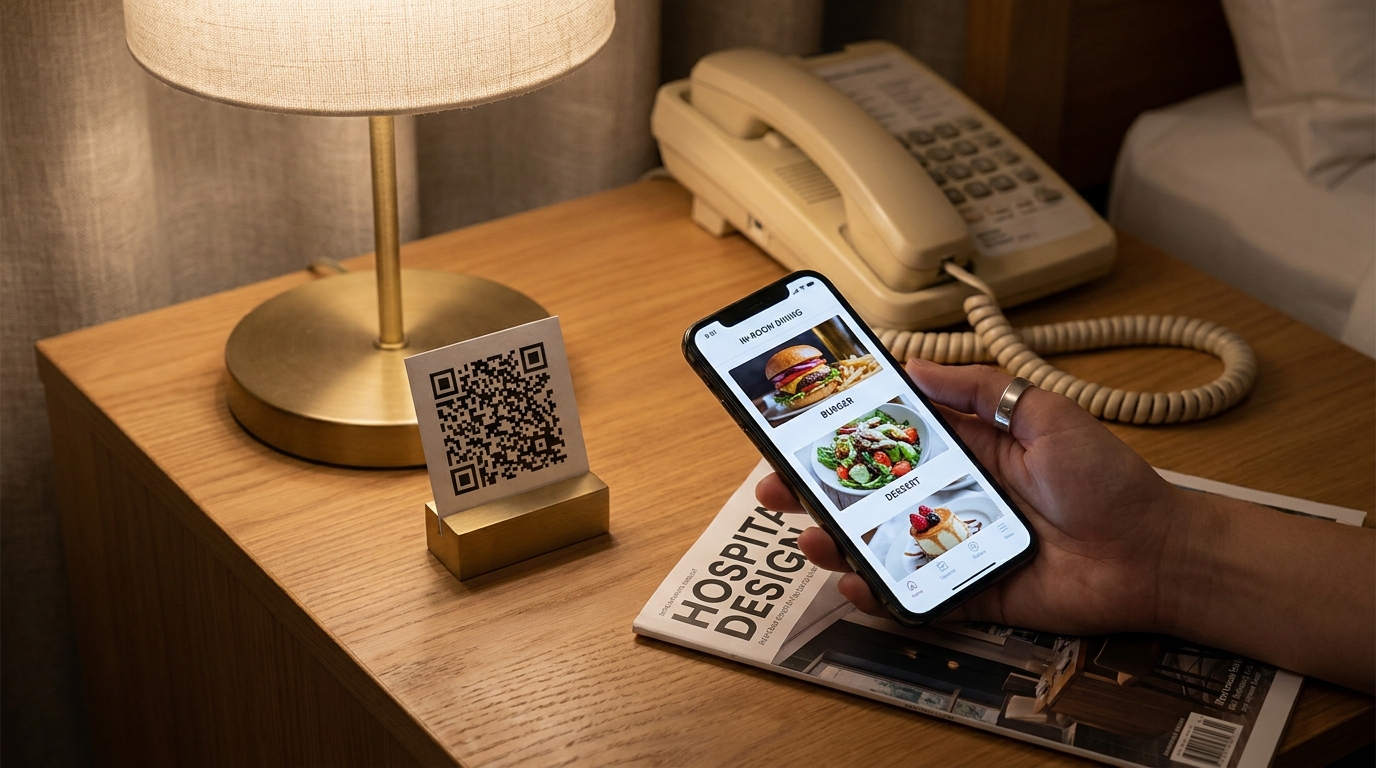
The laminated bedside card is one of hospitality's last paper holdouts. In 2026 it is also one of the most expensive. A QR in-room ordering menu loads in the guest's language, shows real photos, hides 86'd items instantly, and removes the front-desk phone call from the order flow. Here is the operator playbook.
TL;DR — Key Takeaways
87% of full-service restaurants already use QR menus. Hotel in-room dining is one of the last meaningful holdouts.
73% of travelers are more likely to choose a hotel with self-service tech. The QR card is now a competitive feature, not a "nice to have".
A working in-room QR system has 5 components: the physical card, the mobile menu, language detection, kitchen/runner routing, and a post-order flow (ETA, push, tip).
The phone call is not dead. Keep the landline order path for guests who prefer it — but stop relying on it as the only channel.
The card costs less to maintain than the laminated one because the menu behind it is software. Allergens, languages, photos, dish 86's — all updated in seconds.
The death of the laminated card — why 2026 is different
The bedside room-service card has had a remarkable run. It survived the rise of in-room TVs, the arrival of guest tablets, and the brief flurry of hotel ordering apps that almost no one downloaded. What it does not survive is the post-pandemic reset of guest behavior.
QR code scans surged 433% globally since 2021 and have not retreated, per QR adoption research tracked by Statista and others. 87% of full-service restaurants now use a QR menu as the default — not an experiment. Guests have been trained, every meal out, that scanning a QR is how you get a menu. They do it on autopilot. The laminated card on the nightstand has become the unusual case.
A separate behavioral shift compounds the same point. Hospitality research from organizations like the American Hotel & Lodging Association and industry trackers shows 73% of travelers more likely to choose a property that offers self-service technology, and nearly 50% now prefer smartphone-driven checkout over a front-desk interaction. The QR room-service menu sits squarely inside what guests now expect — and increasingly punish hotels for not having.
The math also broke. A laminated card costs $4–$8 per room to replace, has to be reprinted whenever the menu changes (every few months for any property running real F&B), and cannot meaningfully be translated. A QR card costs $0.50 to print, is printed once per room, and the menu behind it updates in seconds at zero marginal cost.
What a great in-room QR ordering experience looks like
Walk the guest journey. A traveler arrives at 10:30pm, tired, holding a phone. The room-service card on the nightstand has a QR. They scan it. The menu loads instantly in their language — the phone's language, not English by default. They scroll past photographed items, see a chicken club sandwich, tap it, add a side, tap "send to my room", see an ETA of 22 minutes, get a push when the runner is at the door.
That experience replaces three current friction points: dialing a phone number, navigating a menu in a language they don't read fluently, and waiting in silence with no ETA after the call ends. None of those friction points are dramatic individually. Together they suppress orders meaningfully — and they are exactly the friction points a QR flow removes.
The version that works is not just "a digital menu on a phone". It is the full flow, end to end, designed for the in-room moment. That is what the next section unpacks.
The 5 components of a hotel QR room-service system
The QR code itself — where to place it
Three placements convert: the bedside nightstand (the late-night order), the desk (the daytime / work-from-room order), and the bathroom mirror or back of the door (the post-shower order). Skip the obvious one — the room-service tray card — because guests scan that after they have already ordered.
Use a single dynamic QR code per property, not one per room — the menu does not change room to room, and one QR is easier to update if the URL ever moves. See the static vs dynamic QR code menu guide for the trade-off in depth.
The mobile menu — speed, photos, scroll length
The menu has 2.5 seconds to load before guests start to bail. Keep it light. Photograph the top 10 items only — every additional photo costs page weight. Group items by daypart (all-day, late-night, breakfast) and surface the right group based on time of day. Keep scroll length short; if the menu needs 15 swipes, guests give up and dial the front desk anyway.
The full guidance for digital menu structure lives in the QR code menus for restaurants — complete 2026 guide. The hotel application is a subset of that playbook with a few in-room-specific differences: the QR is bedside, not on a table; the menu has a dayparted structure; there is no "split the bill" workflow.
Multilingual auto-detection
The phone already knows the guest's language. The menu should use it. A guest from Tokyo, German Schiphol traveler, or São Paulo family scans the QR and sees the menu in Japanese, German, or Brazilian Portuguese — automatically, with no language picker required (though one is offered as a fallback).
This is non-trivial to do well. Dish names need careful handling — "Beef Wellington" should not become a literal-translation oddity in Mandarin — and allergen disclosure has to be accurate across every language. The complete guide to multilingual restaurant menus covers the dish-name strategy, translation quality, and allergen handling. It is the single biggest lever for guest experience in a hotel that runs even a moderate international mix.
Order routing — kitchen, runners, billing
The order has to land somewhere. A QR system needs to print to the kitchen the same way the phone order does, route a runner notification, and post the charge to the guest's PMS folio. None of this is the menu's problem if you integrate well; all of it is the menu's problem if you don't.
Three integration points to ask about when vendor-evaluating: PMS posting (Oracle Opera, Cloudbeds, Mews are the common ones), kitchen printing or KDS, and tip routing if your property tips. A vendor that hands you a hosted menu but no PMS posting is not solving the problem — it is shifting the labor to the front desk.
Post-order — ETA, push, tip flow
The order does not end at "send". Send the guest an ETA the moment the kitchen confirms. Push when the runner is at the door. Surface a tip option after the order is delivered (not before — pre-tipping suppresses tip generosity meaningfully). This is the part most legacy in-room ordering systems skip, and the part guests value most.
Replacing the front-desk phone order — when to keep it, when to drop it
The temptation is to switch off the phone order the day the QR launches. Resist it for at least a quarter. Reasons:
Older guests still default to phone orders. The 70-year-old guest who scans a QR menu in 2026 is more common than five years ago, but not universal.
The deep-night order sometimes goes to the front desk in properties that share night audit and kitchen radio. Keep the phone open so that path stays available.
Service recovery sometimes needs voice. A guest with a special dietary request mid-order benefits from a person on the phone.
The right mental model: QR ordering becomes the default; phone ordering becomes the exception path. Track the split monthly. Most properties see 60–80% of orders shift to QR within the first quarter.
Dietary filters and allergens on the in-room menu
Allergen disclosure on a printed room-service card is generally bad. Allergen disclosure on a QR menu can be excellent — if it is designed in from the start.
Tag every dish with structured per-dish allergen data (the EU-14 per EU Regulation 1169/2011in EU jurisdictions, the US-9 per the FDA major food allergens list stateside, halal/kosher/vegan/gluten-free as dietary filters on top). Render the data into the dish page. Let guests filter the menu to "show me what's safe for me". The full setup lives in the allergen tagging guide for multilingual menus— the in-room application is the same data model with a slightly different UI.
The lawsuit risk for a hotel with an allergen incident is meaningful. Read the hotel allergen compliance guide for the operational story behind the menu data.
Photo-driven menus — why room service finally needs them
A laminated card cannot show 25 photos. A QR menu can. Photos on a menu lift orders on the photographed dish by roughly 25–30%, and the lift is largest on unfamiliar items — exactly the situation an international guest faces on a hotel room-service menu.
Skip stock photography. A burger photo that is not your burger reads as cheap and slightly dishonest. Generated brand-consistent imagery solves the cost problem without resorting to stock — the AI food photography playbook covers the workflow for keeping photo style consistent across a whole menu.
Pricing display — when to show, when to hide
Most in-room dining menus show prices. They should. The prices the guest sees when ordering should be the prices on the final folio, including taxes, gratuity, and service charge if applicable. Surfacing all three line items clearly on the menu protects against the worst review category in hospitality — the surprise charge.
A small note: some luxury properties hide individual prices on tasting-style menus. This is a fine choice for that specific format. It is not a fine choice for a normal in-room dining menu, where guests need pricing to decide.
PMS / POS integration — what to ask the vendor
Vendor-evaluating a QR in-room ordering system, ask these questions in this order:
Does it post charges to my PMS? Names matter — Opera, Cloudbeds, Mews, Sihot. "It exports a CSV" is not posting.
Does it print to my kitchen / KDS? If not, the front desk has to relay every order.
What is the failover if the menu goes down? Real answer required, not "it doesn't go down".
Does the menu auto-translate, and into how many languages? And — separately — does the allergen data render correctly in every language?
Does the QR menu update propagate to other channels (lobby bar, restaurant) if I run the same dishes? If yes, you cut maintenance dramatically.
A vendor that answers cleanly to all five is a buy. One that hedges on PMS posting is shifting your labor cost.
Common in-room QR ordering mistakes
One QR placement only. Three placements (nightstand, desk, bathroom) convert.
No language detection. A guest sees an English-only menu, gives up, never orders.
Allergens as a footnote. Per-dish tagging is the modern standard.
No ETA after order. Silence after "send" suppresses repeat orders.
Prices hidden or unclear. Surprise folio charges generate worst-category reviews.
Killing the phone line the same day. Older guests still default to voice; keep the path open through transition.
No PMS posting. You moved the labor from the kitchen to the front desk.
Build your in-room QR menu free with Intermenu
Intermenu is the QR menu platform built for hotel F&B. One QR, one menu, translated into 15 guest languages automatically, with structured per-dish allergen tags, AI-generated photos, and direct PMS / kitchen routing. The mini-bar, the late-night, the all-day breakfast — all in one place, updated in seconds.
Build your in-room QR menu free with Intermenu →
Frequently Asked Questions
How do hotels use QR codes for room service?
A QR code on the nightstand or desk links to a mobile menu. The guest scans, browses in their language, places the order, and pays via the folio. The kitchen receives the ticket the same way it receives a phone order; the runner gets a notification.
What percentage of hotels use QR menus?
Restaurant-side adoption is at ~87% for full-service venues per 2026 industry tracking. Hotel in-room dining adoption is meaningfully behind that — which is why hotels that move first see the largest competitive lift.
Do guests actually use hotel QR menus?
Yes. Hotel research consistently shows roughly 60–80% of in-room orders shift to QR within the first quarter after launch, with the rest holding to phone orders (predominantly older guests and special requests).
Is QR room service safe?
Yes, when the QR is a dynamic code controlled by the property and the menu lives on a domain the hotel controls. Avoid generic QR codes that route through third-party redirectors — these are spoofable.
Can I run one QR menu across my restaurant and in-room dining?
Yes. A modern QR menu platform supports multiple outlets under one property, with different menus per outlet but shared dish data, allergen tags, and translations. This is the operational pattern most hotels are converging on.
Does QR ordering work without a kitchen printer integration?
It can, but you pay for it in labor. Without printer or KDS integration, every QR order has to be manually transcribed by the front desk or duty manager. The integration is worth it.
How much does a hotel QR in-room ordering system cost?
Wide range. The QR card itself is pennies. The menu platform behind it ranges from free (basic hosted) to $200–1500/month for full PMS / KDS / multilingual / multi-outlet hospitality platforms. Independents typically land in the $15–60/month band; hotel groups land in enterprise.
Related guides
Optimizing hotel F&B menu management for 2026 success— the cluster pillar
In-room dining menu — how to design one that sells— the menu the QR is replacing
QR code menus for restaurants — the complete 2026 guide— the broader QR playbook
Static vs dynamic QR menu codes— the technical choice
The complete guide to multilingual restaurant menus— the language layer
Allergen tagging on a multilingual menu— the dietary layer